Reprint a daily Z If you have lost your Z ticket, you can reprint it directly from the cash desk! Go to your app settings on the home screen. In the dashboard, select a date range that includes the Z reports to be repr... Clôture de caisse 24 Jul 2025
Receive the closing cash report by email Would you like to receive the closing cash report directly by email? We explain how to do this in this easy tutorial! Receive your cash register receipts automatically by email 🎯 Objective: Set up an ... Clôture de caisse 24 Jul 2025
Set up automatic cash register closing The automatic gate closure is a practical option, allowing the manager to leave the premises at the end of the day. At the specified time, your cash register will automatically close according to your... Clôture de caisse 24 Jul 2025
Generate an invoice for a customer The cash register has a powerful automatic billing module. Linked to a customer account, invoices are sent automatically according to the selected frequency. Immediate Weekly Monthly The automatic bil... Clients 24 Jul 2025
Customer billing email Do your customers want to receive invoices at a specific email address? Use the dedicated ‘invoicing email’ field for this purpose.... Clients 24 Jul 2025
How to quickly create a customer account with VAT Save time when creating customer accounts by importing company details from their VAT number! This tutorial explains how it works. Create a customer account with VAT number Hello, everyone! Today, we ... Clients 24 Jul 2025
Cash register and peripheral device compatibility Cash register & Peripherals Currently, RESTOMAX POS runs on Android 10 & iOS 15 or newer systems and the devices listed below. In general, opt for models that are less than three years old to guarante... Matériel 24 Jul 2025
Contents of a box pack The cash register pack is designed to include all the essential components for installing a RESTOMAX cash register. It consists of: A secure router to isolate the cash register network from the rest o... Matériel 24 Jul 2025
Configure a Yomani terminal Configuration on the cash register: Set the IP address of your cash register according to network standards (172.29.29.101 if there is only one cash register). Go to the cash register settings in the ... Matériel 24 Jul 2025
Change the colour of a button in an article Forgot how to change the button colour on your matrix? We can help you do it quickly! Setting a specific colour for an item will make it stand out from the others on your check-in screen. Note: By def... Écran de vente 24 Jul 2025
Consumption mode displays In this tutorial, we explain how to change the display on your sales screen to show the different consumption modes. From 3-button mode to toggle mode with a slider (eat in / takeaway / delivery) Disp... Écran de vente 24 Jul 2025
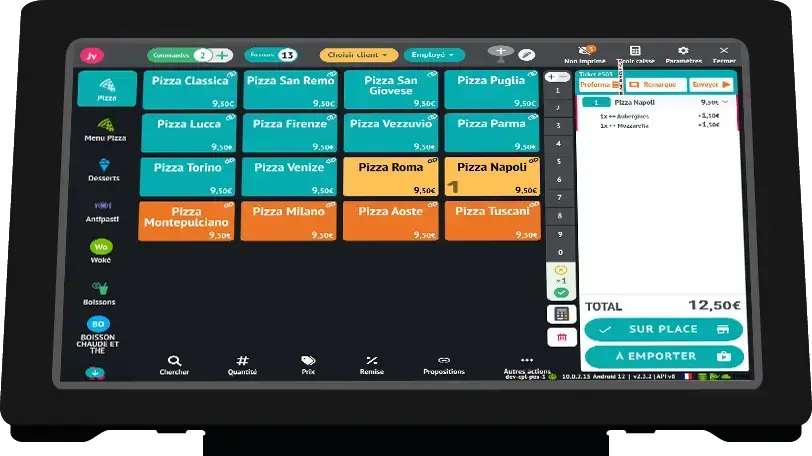
Create a sales matrix We explain how to create a sales matrix directly from the cash register with ease! Create a sales matrix from the cash register Hello, everyone! Today, let's see how to create a matrix from your cash ... Écran de vente 24 Jul 2025