No-shows are frustrating and costly for any restaurant. To help you protect your revenue and secure your tables, the Restomax Booking Widget now supports Credit Card Pre-Authorization.
Instead of forcing a full upfront charge, a customizable deposit amount is temporarily held on the guest's card when they make an online reservation. If they show up, the hold is automatically released. If they don't, you're covered.
Key Features
- Flexible Pricing Calculations: Choose between a flat fee per booking or a dynamic amount scaled per guest (e.g., €25.00 x 4 guests = €100.00 hold).
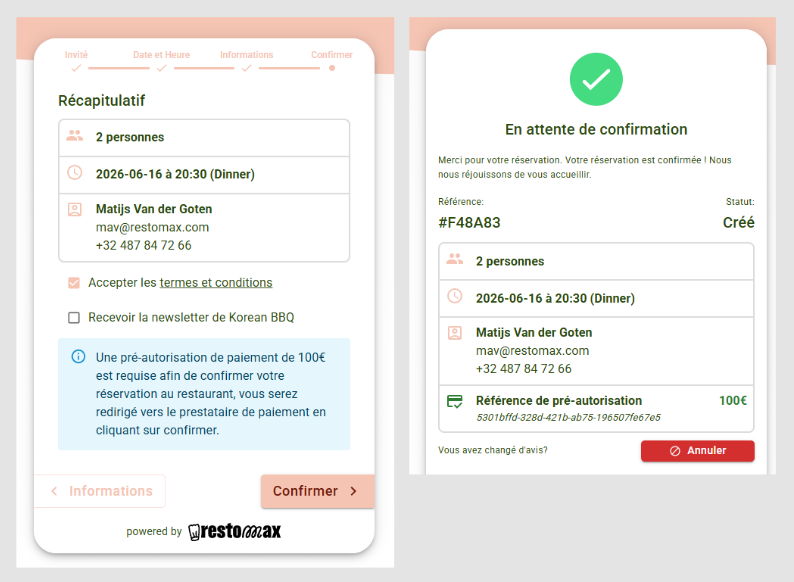
- Seamless Widget Experience: A secure payment step appears directly inside the booking flow where guests enter their card details. The hold amount is clearly displayed on both summary and confirmation pages.
- Bypass for Waitlists: By default, waitlisted bookings can automatically bypass the pre-authorization check until a table opens up.
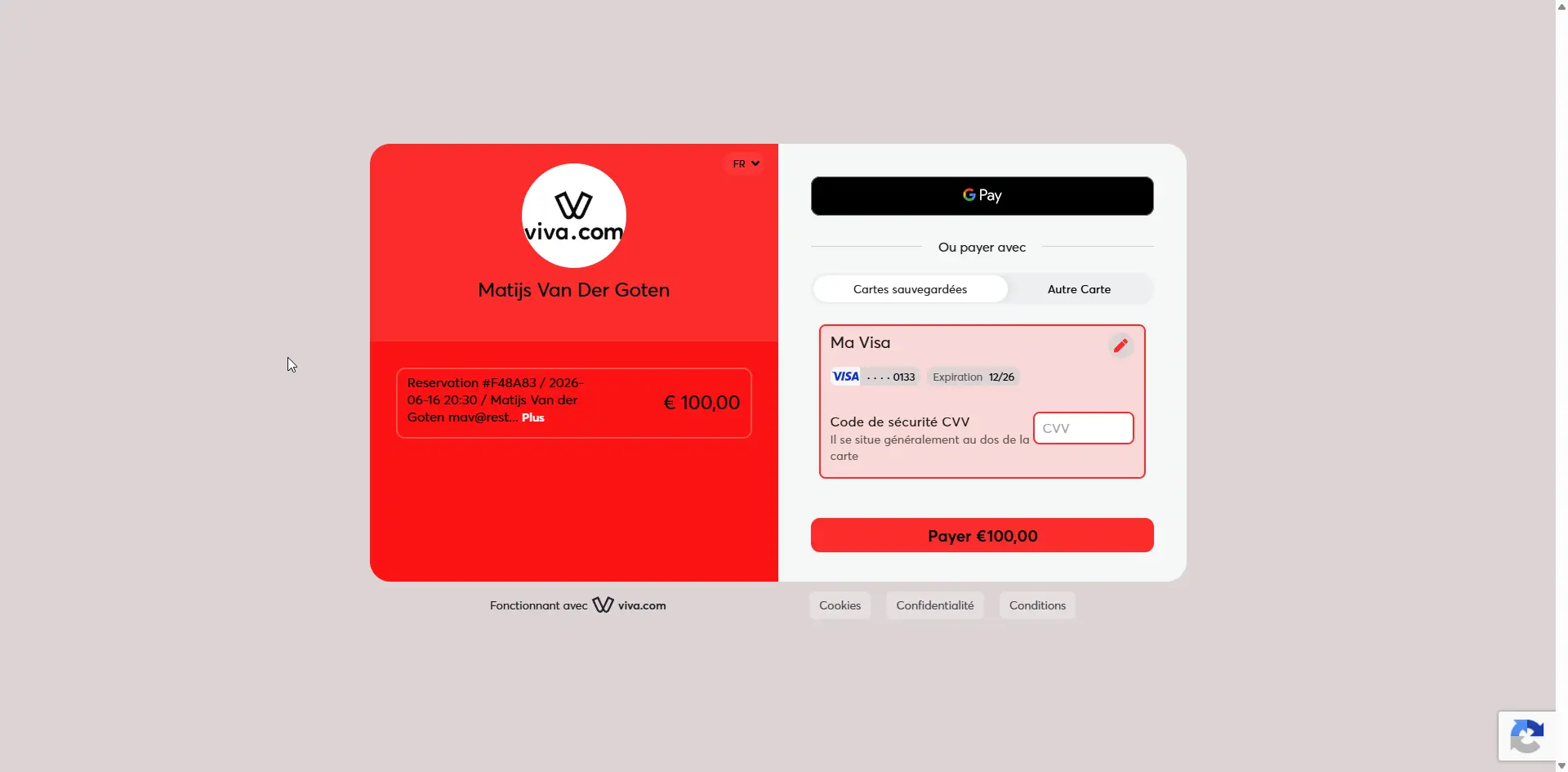
- Powered by Viva Wallet: Fully integrates with your payment provider settings to handle holds safely and securely.
How It Works for Your Guests
- Selection: The guest selects their preferred date, time, and party size as usual.
- Securing the Table: A secure checkout step appears, showing the required pre-authorization guarantee.
- The Hold: The guest clicks "Authorize." The funds are temporarily frozen (not charged) on their card.
- Confirmation: Once approved, the booking is instantly confirmed, and the guest receives a unique Pre-Auth reference number.
📌 Note: After their visit, you can easily release the hold right from your dashboard—or capture the deposit in Viva Wallet if they violate your cancellation policy.
How to Enable Pre-Authorization in Restomax
Prerequisite: Make sure you have already configured a Viva Wallet payment profile in your Restomax Backoffice before enabling this feature.
https://www.restomax.be/blog/backoffice-web-5/koppel-viva-wallet-aan-restomax-book-177
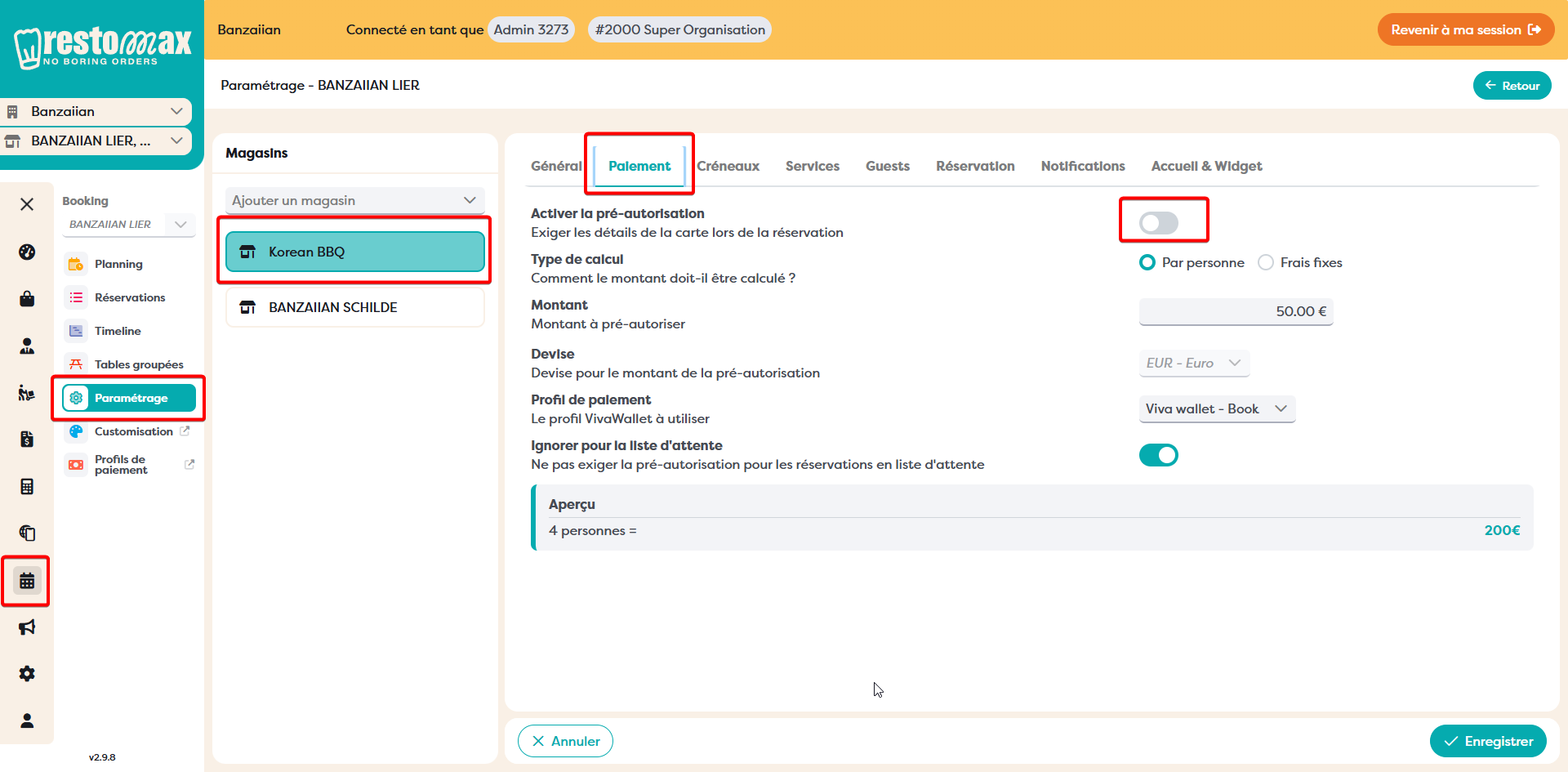
- Log into your Restomax Backoffice and navigate to your Booking Settings.
- Open the new Pre-Authorization tab.
- Toggle the Enable Pre-Authorization switch to ON.
- Set up your calculation rules:
- Calculation Type: Choose Per Person or Flat Fee.
- Amount: Enter your preferred guarantee amount (e.g., €50.00).
- Under Payment Profile, select the Viva Wallet profile you created for your booking system.
- (Optional) Leave the Ignore for waitlist entry toggle active if you want waitlisted guests to skip the credit card step.
- Click Save.
Your widget will immediately start updating to request card guarantees on all new incoming bookings! New work item