Released on 3 November 2026
Overview of the main improvements
- ✨ Bulk download of invoices and credit notes
- ✨ Kiosk settings in the POS screen
- ✨ The POS colour picker in the back office
- ✨ Suppliers, barcodes, ranks, propositions and printers of an item shown as tables
- ✨ A cancellation and modification period above 23:59 for Restomax Book (see the Restomax Book update of 3 November)
✨ Bulk download of invoices and credit notes
Invoices and credit notes can be selected in their lists and downloaded together as one zip file, with one PDF per document. The zip is prepared in the background while work continues in the back office.
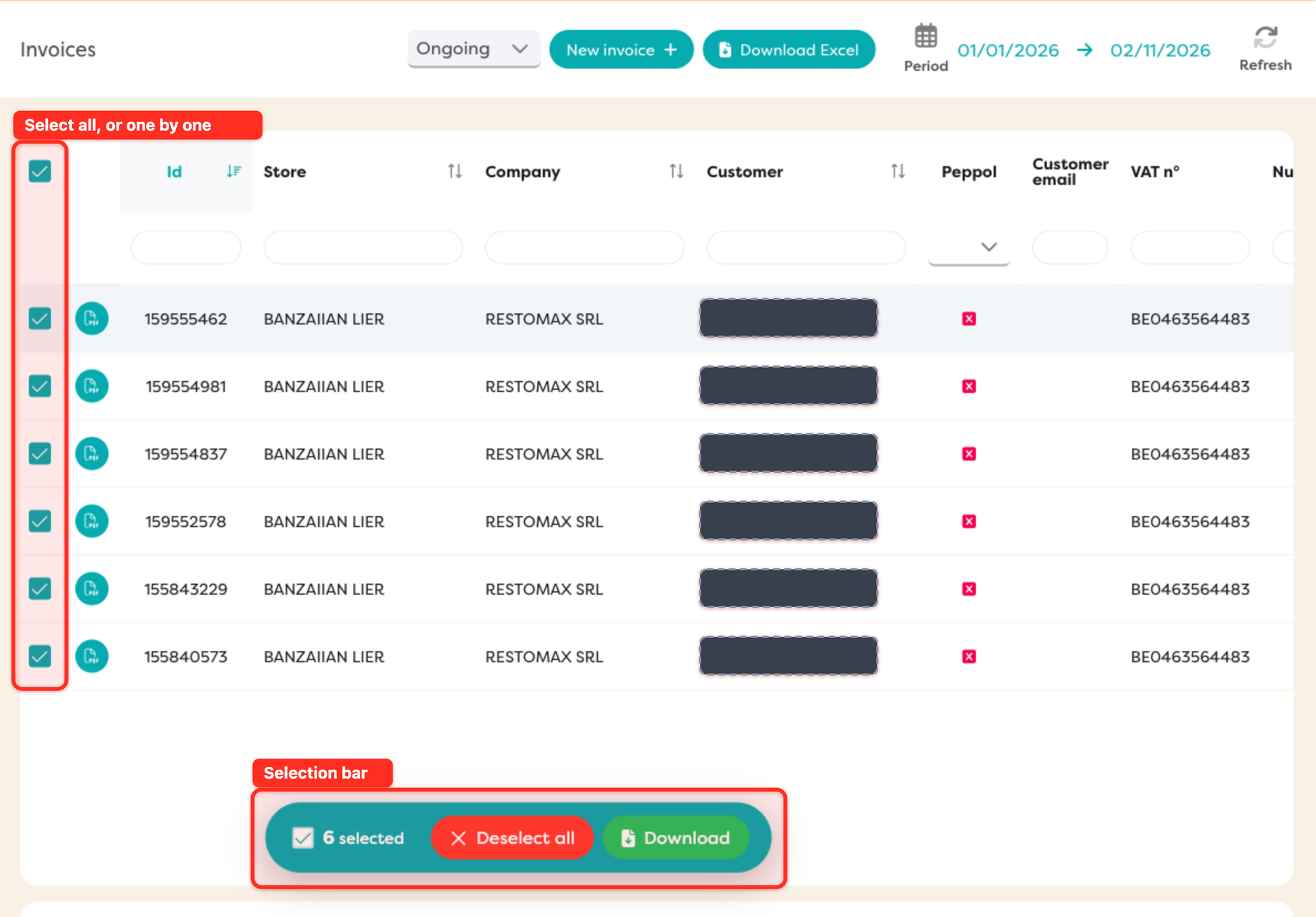
Sales > Invoices and Sales > Credit notes. More information: Bulk download of invoices and credit notes.
✨ Kiosk settings in the POS screen
The edit screen of a kiosk POS has a new Kiosk section with the kiosk's settings: its modes, languages, timeouts and theme, the cashless top-up amounts and every page of the self-service ordering flow.
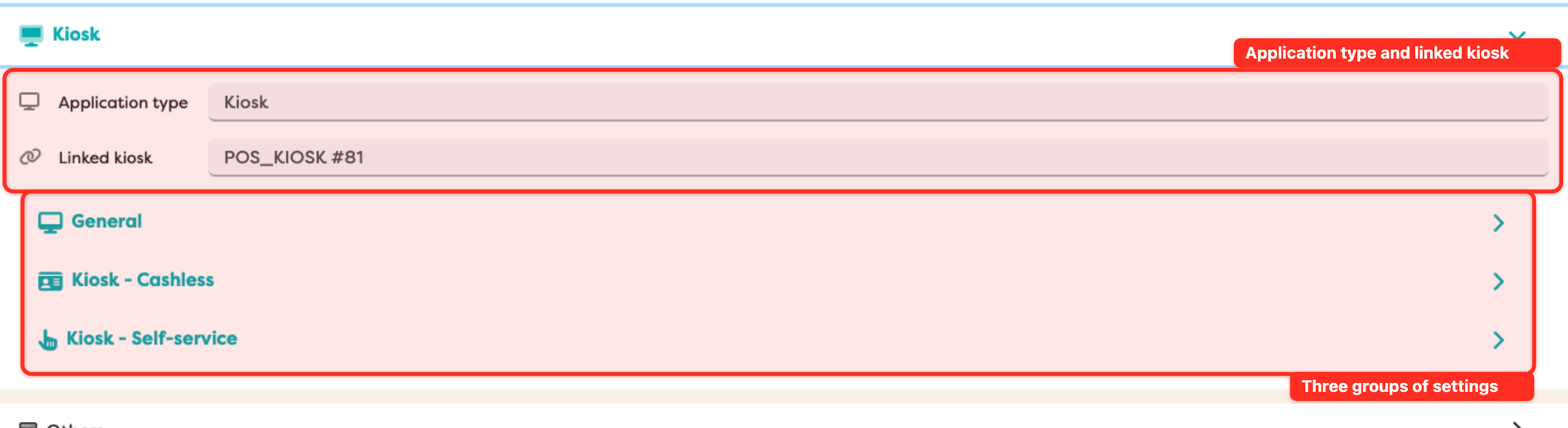
Settings > Organisation, tab POS, then the pencil on a kiosk POS. More information: Kiosk settings.
✨ The POS colour picker in the back office
The colour fields of the kiosk and the Website color of a Viva Wallet payment profile use the same colour picker as the POS: a Main color from A to L, a Shade from -4 to +4, or Custom for any colour by its hex code.
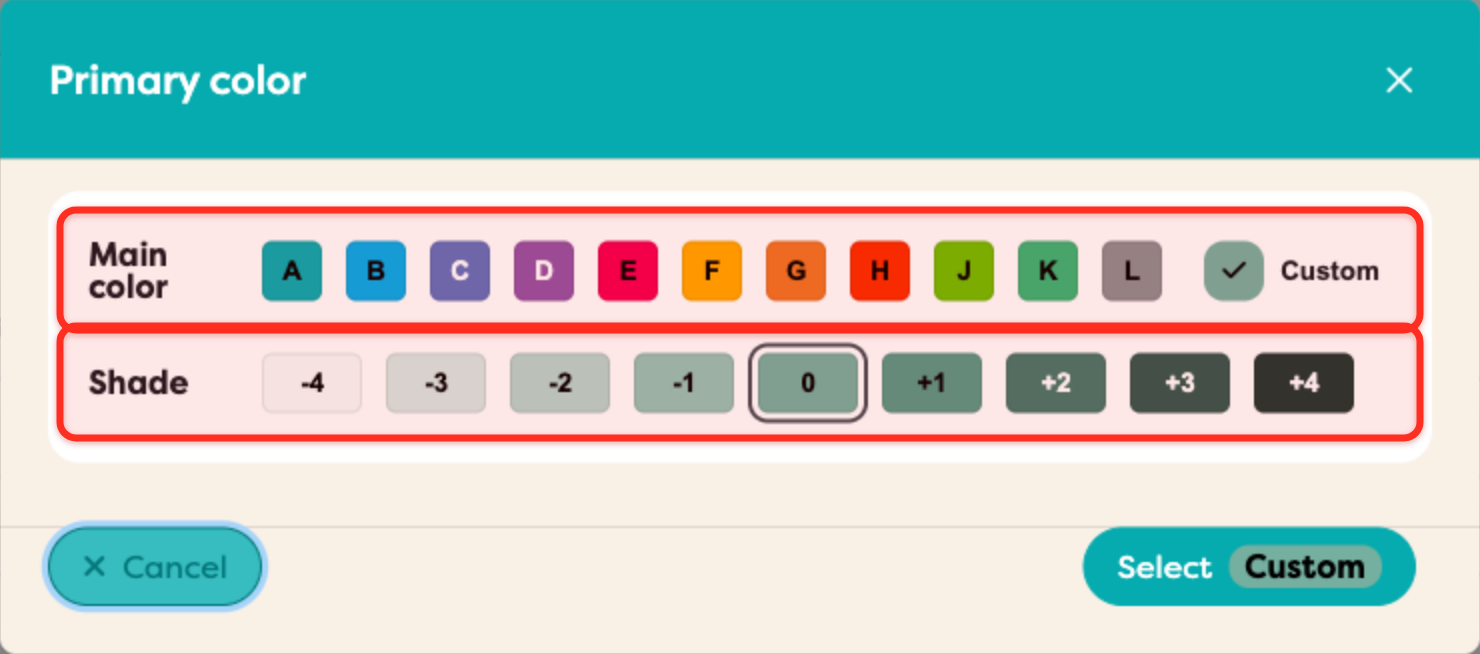
More information: Kiosk settings, Colours.
✨ Item links shown as tables
In the item dialog, Suppliers, the additional barcodes, the ranks, Propositions and Remote Printers are shown as tables, in the same way as recipes. Each has a button to add a line, one row per link with its own settings, and a confirmation before a line is removed.

Items, then the pencil on an item.
For assistance with any of these changes, contact your Restomax representative.