Released: 9 September 2026
Overview of the main improvements
- ✨ Price list discounts applied to every article in one action, with a review first
- ✨ A hierarchy's VAT rates applied to all its articles in one action
- ✨ Price lists can be active or inactive
- ✨ Print layouts linked to several printers at once
- ✨ Article imports: three new fields, 5,000 lines per file, processed in a queue
- ✨ The POS settings screens reorganised
- 🛠️ Z report VAT percentages sorted from highest to lowest
✨ Price list discounts applied to every article
Setting article prices for a price list was already possible article by article. It can now be done in bulk, directly from the price list settings, and a review shows what would change before anything is written.
🔄 How it works
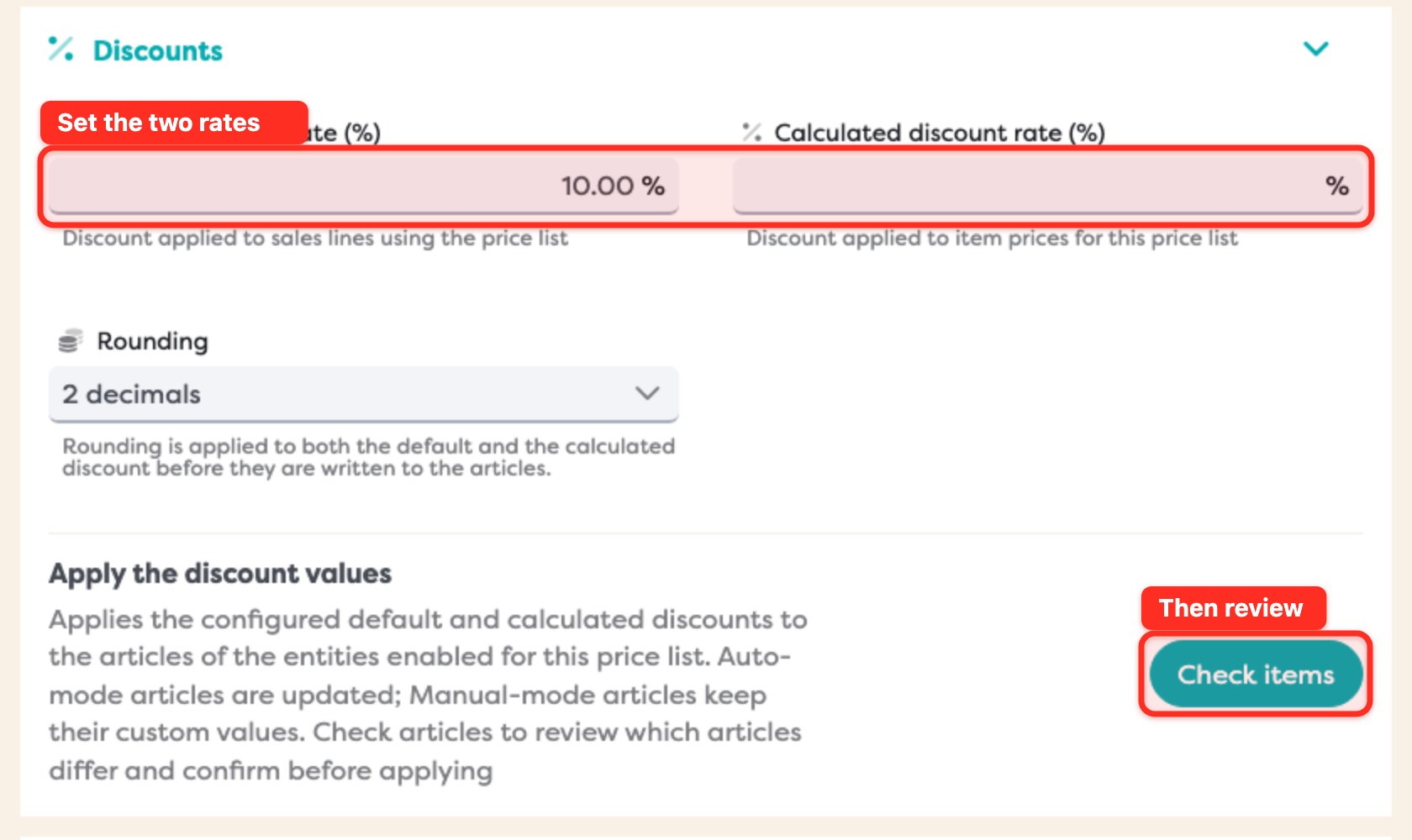
- Default discount rate is the discount applied to sales lines that use the price list, the one that appears on a ticket. Calculated discount rate is the discount written into the article prices for this price list.
- Rounding applies to both rates before the values are written.
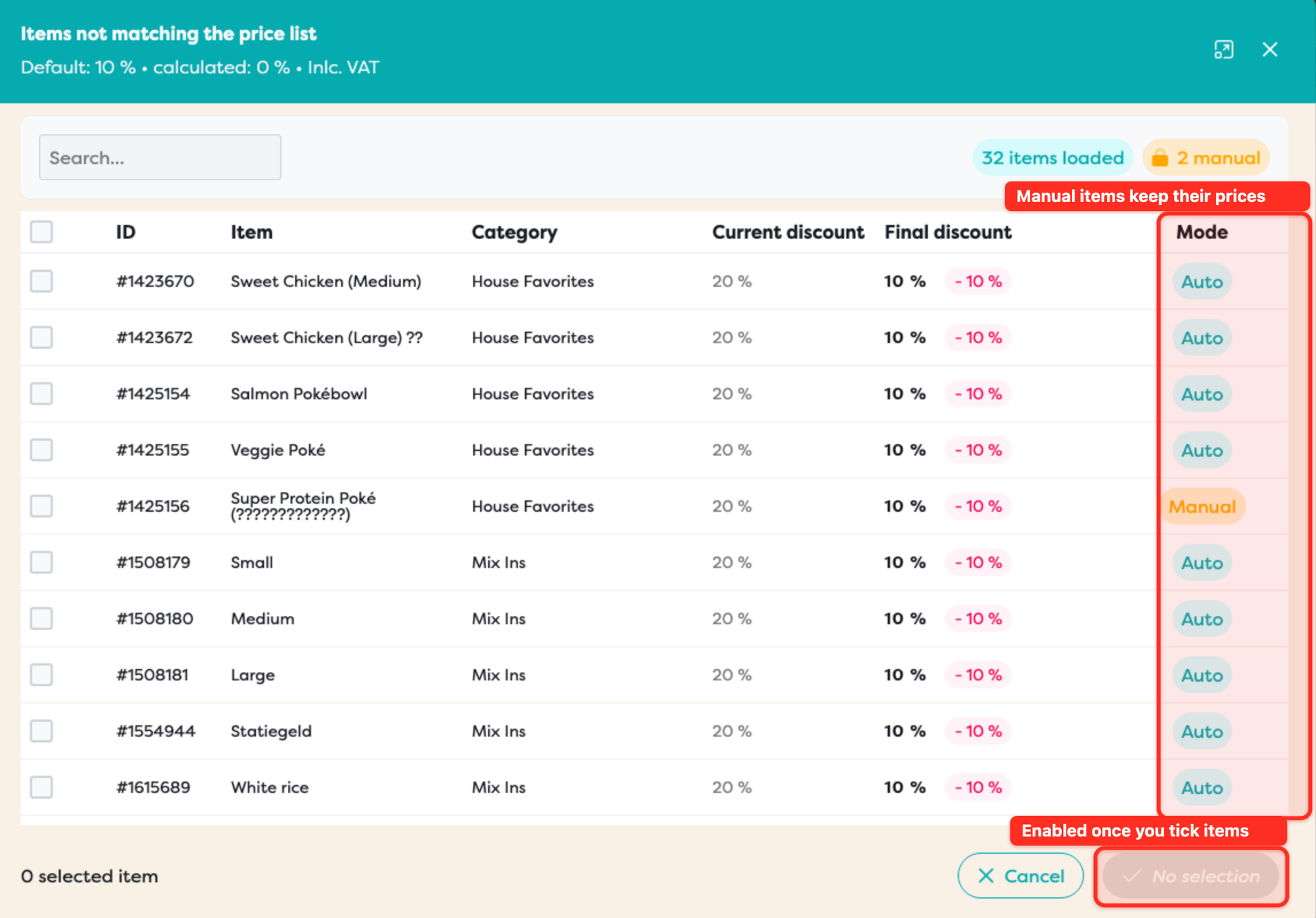
- Check items opens a review of every article whose current discount does not match the price list, with its Current discount, its Final discount and the difference. Nothing is written at this stage, so the review also serves as a check on its own.
- Articles in automatic mode follow the price list and are updated. Articles in Manual mode keep the price entered by hand.
- The update runs in the background and handles a full catalogue: a price list of 662 articles completed within 45 seconds.
⚙️ Configuration
Items > Price lists > a price list > Discounts.
✨ A hierarchy's VAT applied to its articles
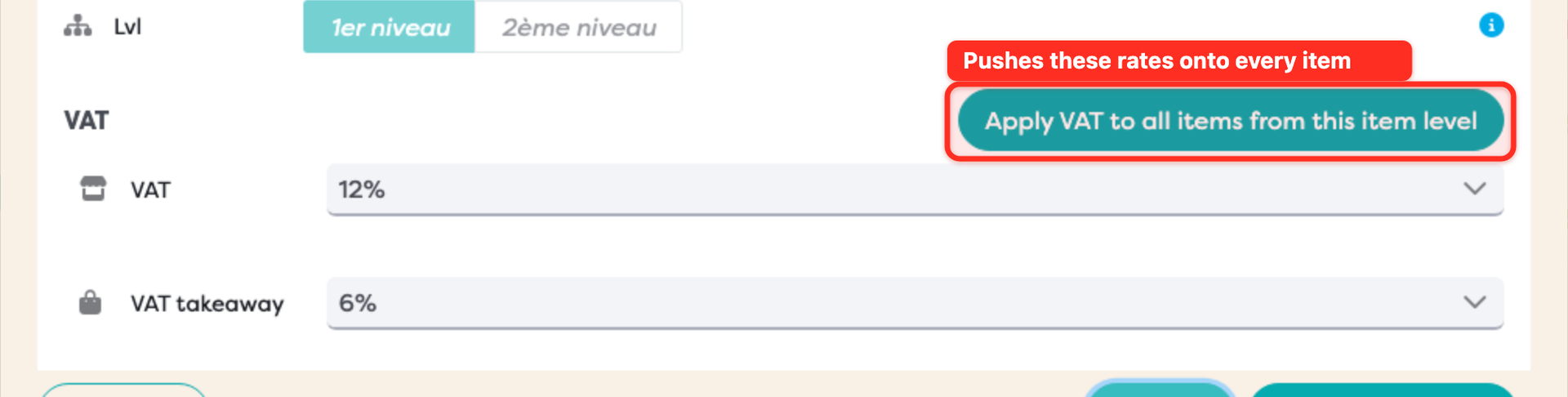
A hierarchy carries a VAT rate and a takeaway VAT rate. Both can now be written onto every article beneath it in one action.
🔄 How it works
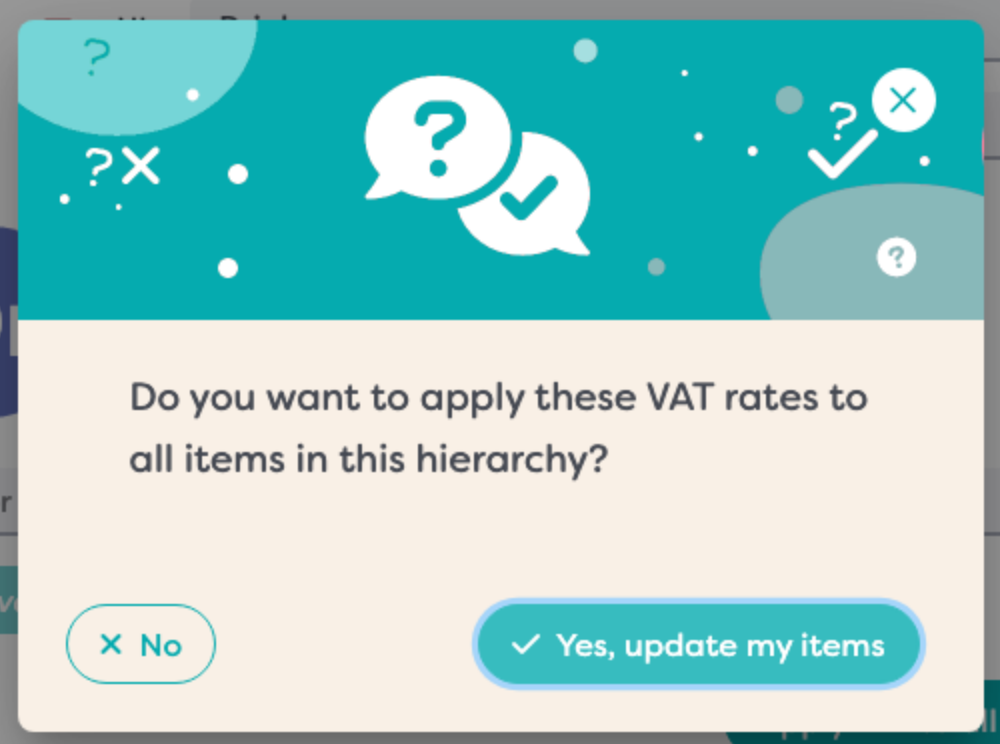
- Apply VAT to all items from this item level applies both rates together, after a confirmation.
- The action applies to every article under the hierarchy.
⚙️ Configuration
Items > Hierarchy > a hierarchy, VAT section.
✨ Price lists can be active or inactive
A price list now carries an Active flag, and the list of price lists filters on all, active or inactive price lists.
✨ Print layouts linked to printers
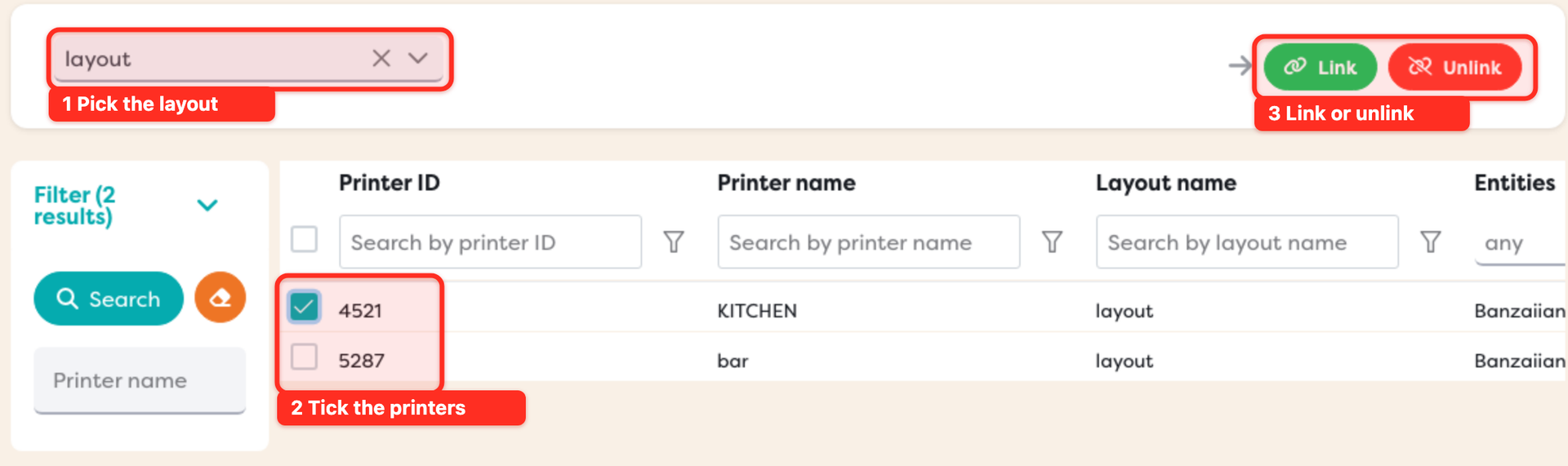
A print layout determines how a printed ticket is presented. A new tool assigns a layout to one or several printers at once. It is the screen where this link is made, as a printer's own settings carry no layout field.
🔄 How it works
- The layout is selected at the top; Search loads the printers.
- Several printers can be ticked at once; Link assigns the layout to them.
- Selecting printers that already carry the layout makes Unlink available.
- The Layout name column shows the layout each printer currently uses.
⚙️ Configuration
Settings > Tools > PRINTERS > Link print layout to printers.
✨ Article imports
- The article import accepts net weight, ask weight and decimal sale quantity. The template and the export carry the three fields.
- The limit per file has risen from 500 to 5,000 lines.
- Imports are processed through a queue, so a large file no longer holds up the interface.
🛠️ Fixes
- The daily dashboard shows a count where it showed an amount (since 2 September).
For assistance with any of these changes, contact your Restomax representative.