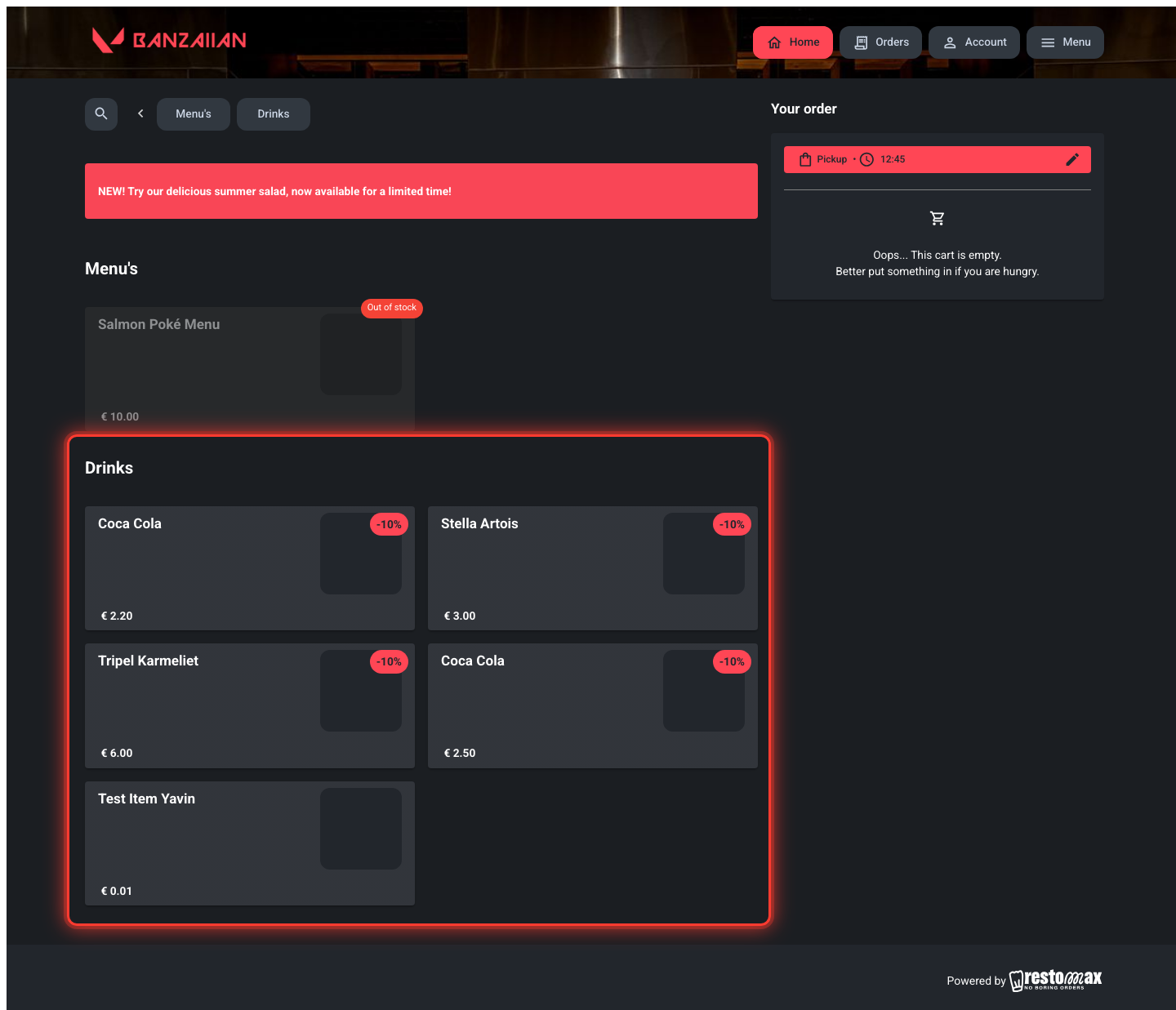
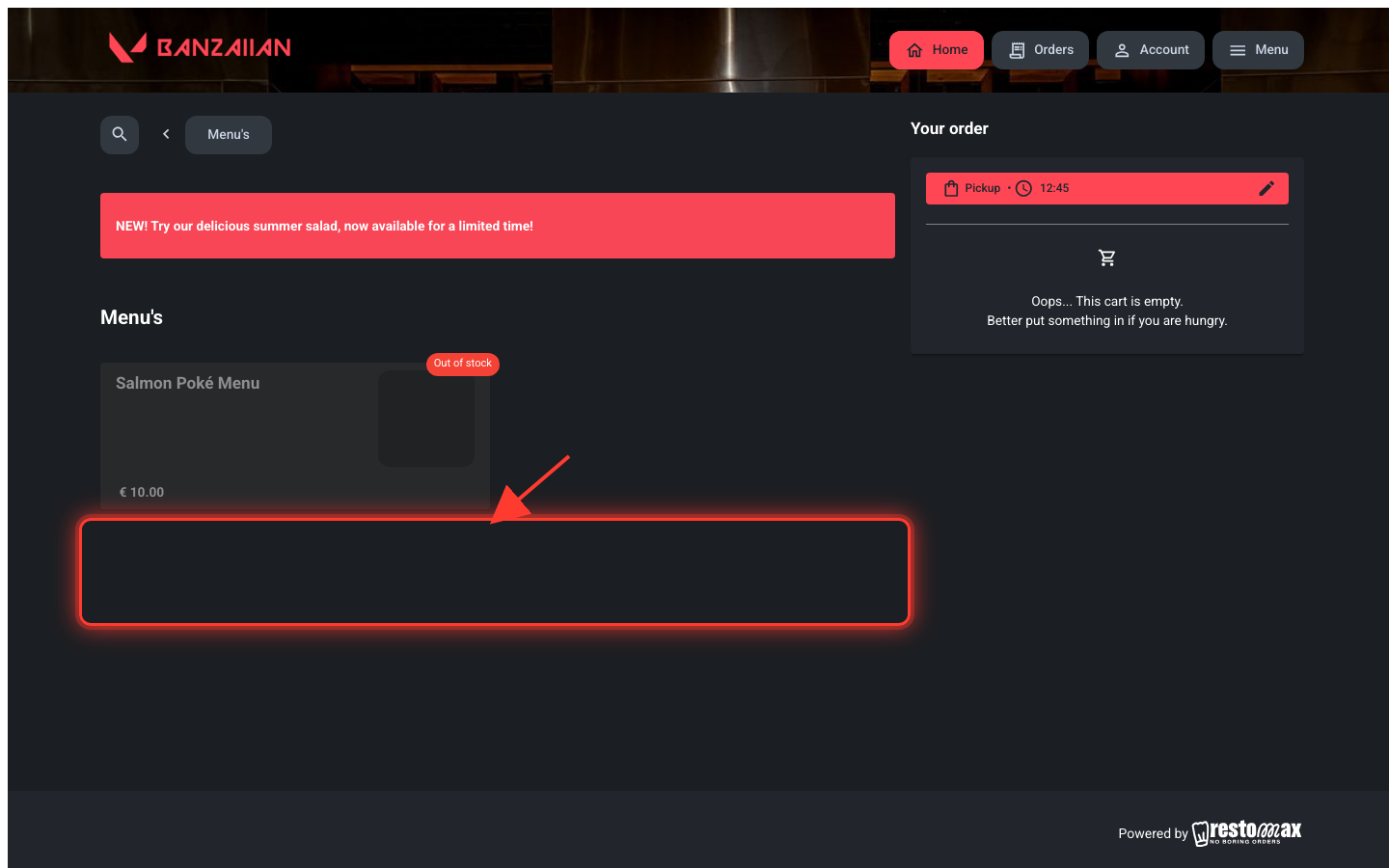
Matrixes can now be restricted to specific dates, weekdays and time periods, and sales channels — automatically hidden outside those windows.
What's new
Matrix Templates can now have scheduling and channel restrictions on their individual matrixes:
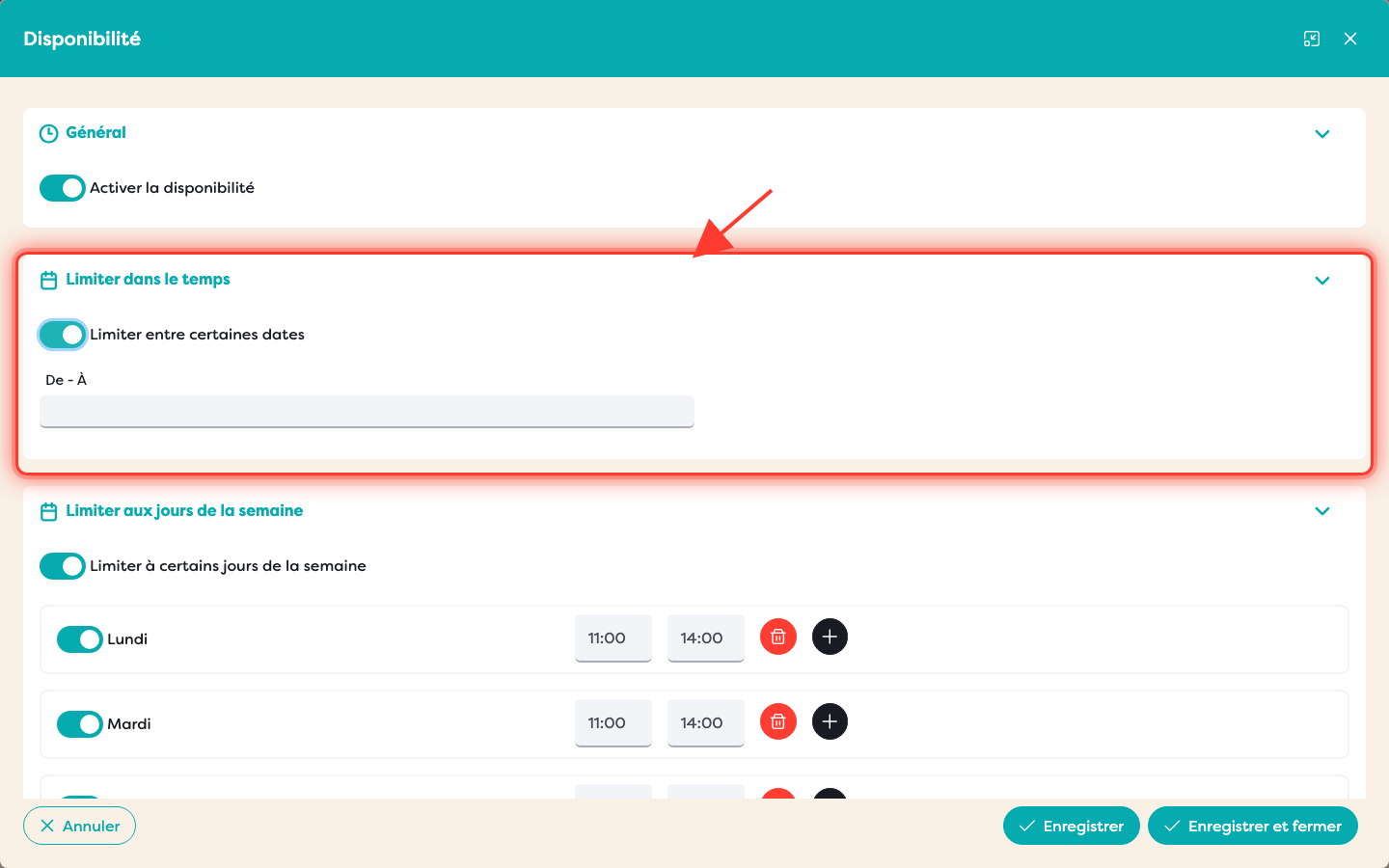
- Date range — limit a matrix to a specific period (e.g. a Valentine's Day matrix).
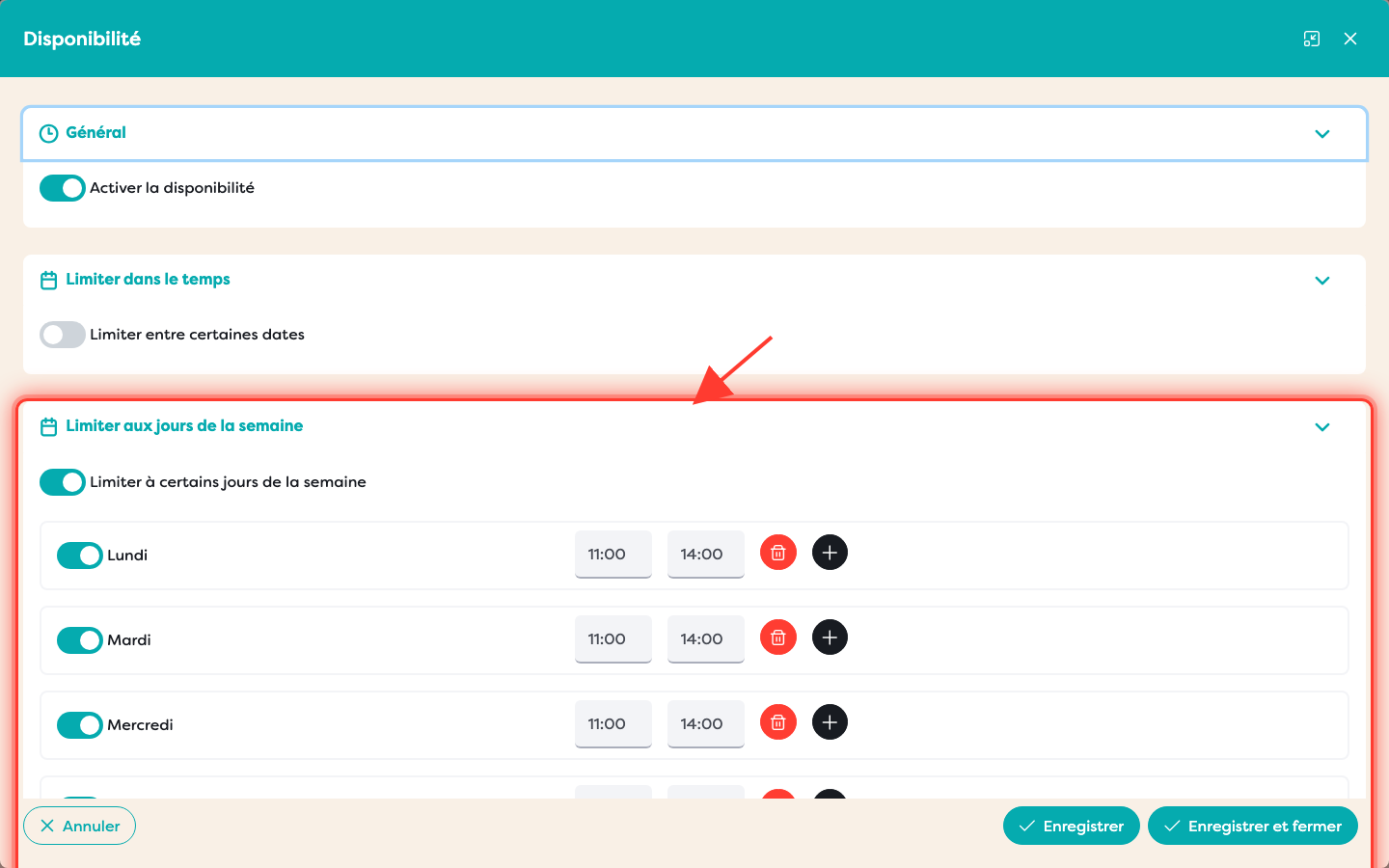
- Weekdays & time periods — restrict to selected days, with multiple time periods per day (e.g. a lunch matrix, Mon–Fri 11:00–14:00).
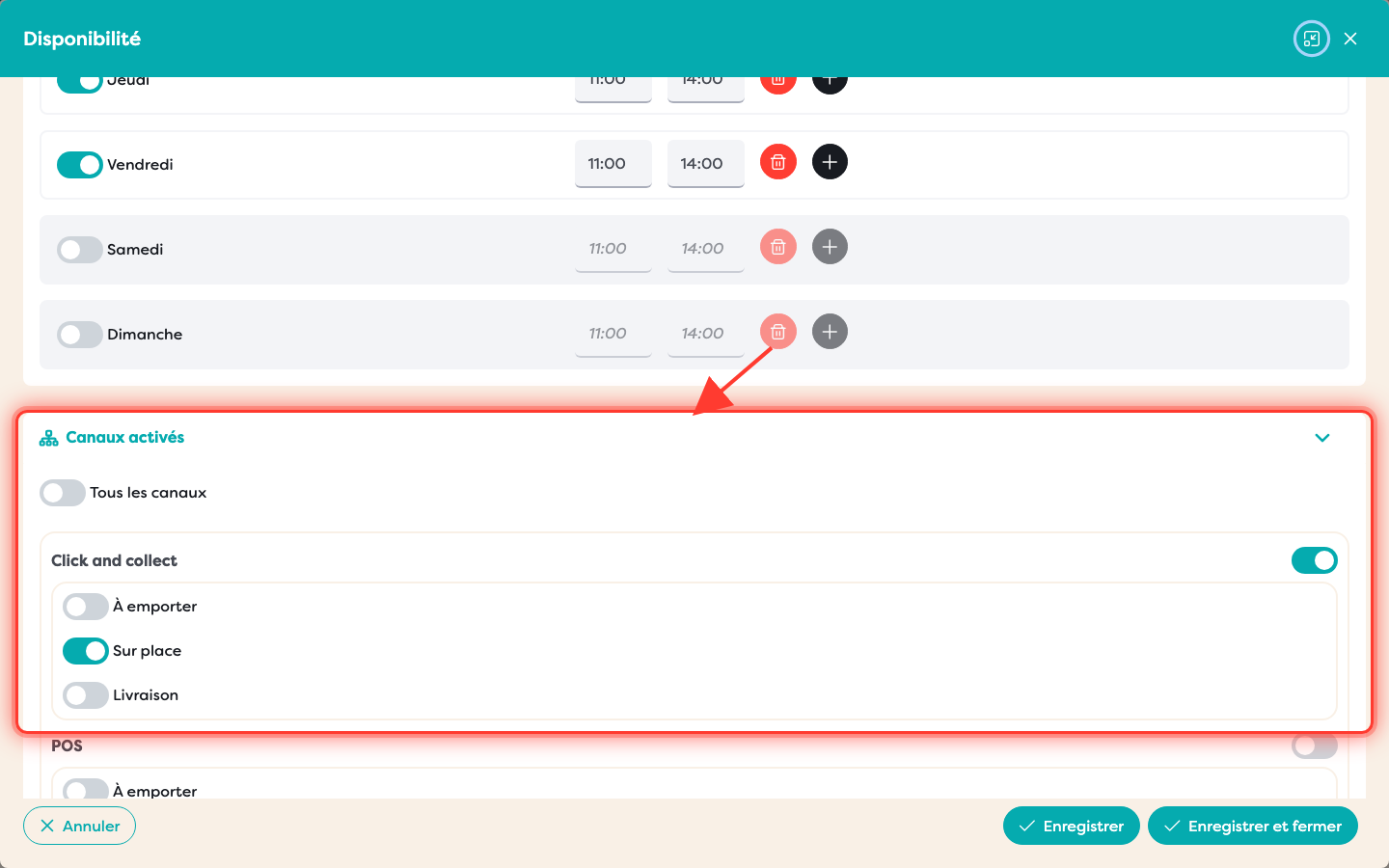
- Channels — restrict visibility per channel (POS, Click & Collect, Kiosk), down to the consumption type (Takeaway, Eat In, Delivery).
Outside the configured windows, the matrix disappears from that channel.
Right now this is enforced on Click & Collect only — POS and Kiosk support is coming.
Details
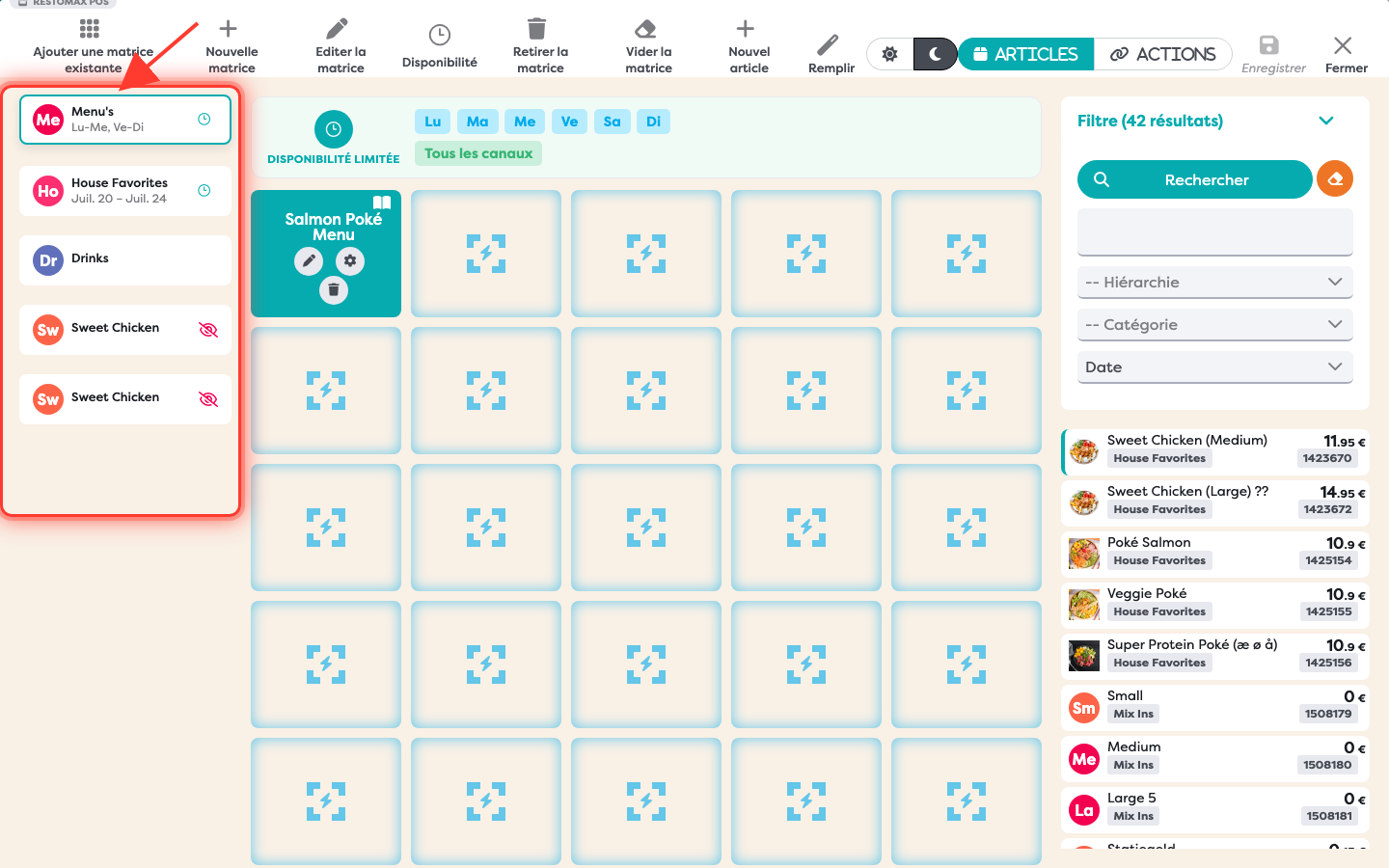
A Matrix Template contains several matrixes (e.g. Menu's, House Favorites, Drinks). Availability is set per matrix, so select the one you want from the list on the left before its Availability button applies to it:
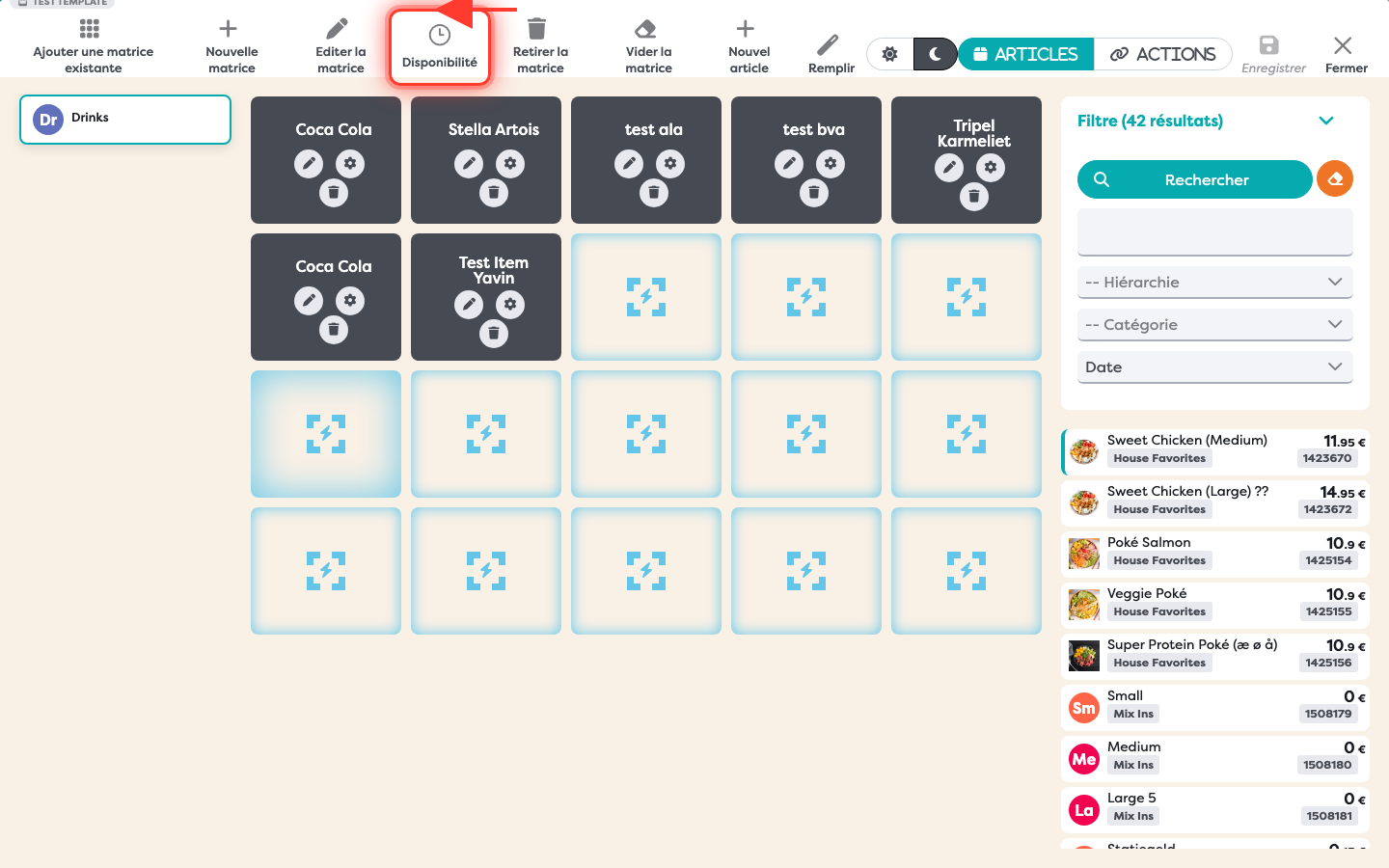
Click the new clock-icon Availability button in the toolbar for that matrix, then turn on the master toggle to reveal three independent restriction types:
Date range — limit a matrix to a specific period. Useful for a one-off or seasonal matrix, e.g. a Valentine's Day special that should only appear for a few days a year:
Weekdays & time periods — restrict to selected days, with one or more time periods per day. Useful for a matrix that only makes sense at certain times, e.g. a lunch matrix that should only show Monday–Friday between 11:00 and 14:00:
Channels — restrict visibility per channel (POS, Click & Collect, Kiosk), down to the consumption type (Takeaway, Eat In, Delivery). Useful for something that only makes sense for guests eating in, e.g. a dine-in dessert matrix that shouldn't show up for takeaway or delivery orders:
All three can be combined on the same matrix — e.g. a lunch matrix that's also Eat In only.
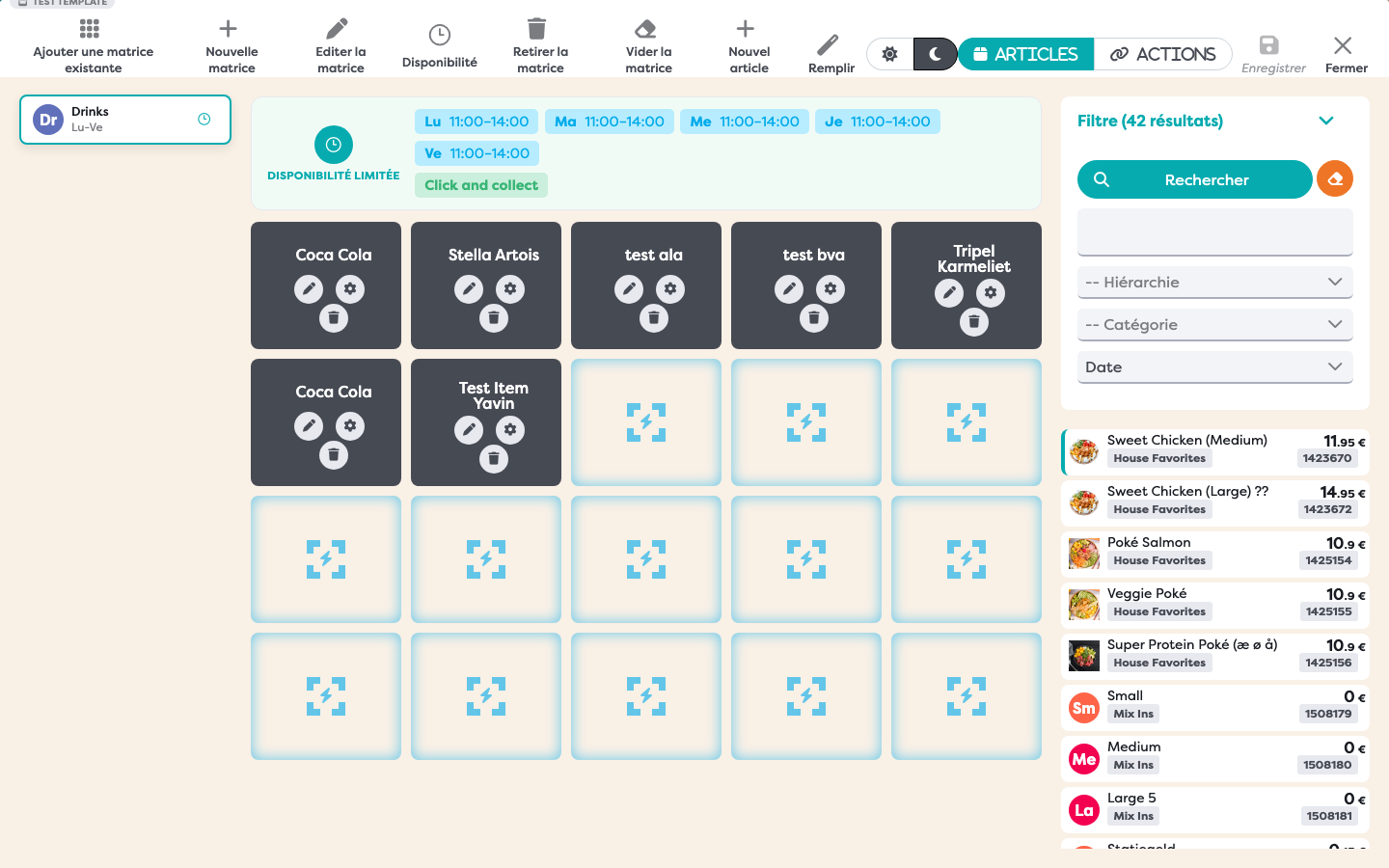
Once saved, a matrix with availability enabled shows a clock icon and a compact schedule summary in the sidebar, and a "Limited availability" banner above the grid summarizing the active restrictions:
On the Click & Collect storefront, guests simply don't see a restricted matrix — its tab and section disappear entirely for as long as it's outside its configured window, and reappear automatically once it's back in range: