From January 1st, 2026, the use of the PEPPOL network will become mandatory for many businesses in Belgium.
At Restomax, we have of course anticipated this change to ensure you remain compliant — without added complexity.
In this article
- What is PEPPOL?
- Why PEPPOL? For whom?
- Electronic Invoicing and POS systems like Restomax
- How to activate PEPPOL in Restomax
- Sending invoices via PEPPOL in Restomax
- Invoice tracking and status in Restomax
What is PEPPOL?
PEPPOL (Pan-European Public Procurement On-Line) is a secure European network that enables the exchange of standardized electronic documents, primarily electronic invoices.
In practical terms, PEPPOL allows:
- Sending and receiving structured electronic invoices
- Direct and secure communication between businesses
- A significant reduction of errors linked to PDF or paper invoices
- Automated accounting processing
➡️PEPPOL is not a software, but an exchange network — similar to a digital postal network for invoices.
Why PEPPOL? For whom?
Why this obligation?
The Belgian government is introducing mandatory electronic invoicing via PEPPOL in order to:
- Combat VAT fraud
- Reduce invoicing errors
- Speed up payments
- Digitize and automate accounting processes
- Harmonize business exchanges at the European level
Who is concerned?
From January 1st, 2026, all Belgian VAT-registered businesses will be required to:
- Send B2B invoices via PEPPOL
- Be able to receive invoices via PEPPOL
➡️ This therefore also applies to:
- Restaurants
- Cafés
- Hotels
- Caterers
- Horeca franchises
What changes?
Before | After (PEPPOL) |
Paper or PDF invoices | Structured electronic invoices |
Email delivery | Secure network delivery |
Manual data entry | Automated processing |
Risk of errors | Reliable, standardized data |
PEPPOL, electronic invoicing and Restomax
As you may have understood, if you issue invoices to other businesses, this will need to be done via the PEPPOL network.
With Restomax, you can use your POS system to automatically convert a real sale into an invoice, without any re-entry of data. This is obviously extremely practical: Time savings by avoiding double entry in another invoicing system, fewer data entry errors Immediate and seamless invoicing, improving the customer experience, guaranteed legal compliance, and a simplified accounting workflow.
Restomax is ready for PEPPOL
Restomax is, of course, fully compatible and ready for PEPPOL.
We have integrated:
- The standards required by legislation
- A direct connection to the PEPPOL network
- The necessary validation and compliance checks
Do you need to activate PEPPOL in Restomax?
Not necessarily.
First of all, ask yourself: Do you need to issue invoices to other VAT-registered businesses?
In most cases, the answer will be yes. If so, you will need to decide how you initiate your electronic invoicing and ensure that you are using software that supports PEPPOL.
As explained above, generating invoices directly from your POS system offers many advantages. We can therefore strongly recommend activating PEPPOL in Restomax if you wish to benefit from these advantages.
Are you already using automatic electronic invoicing in Restomax?
YES
Then you only need to follow the activation procedure below to switch to PEPPOL.
NO
But I would like to use it in order to comply with the new invoicing regulations.
This is also very easy for you. You can simply follow the same procedure below. The cost of this service will be added to your subscription.
- Annual subscription: €19/month
- Quarterly subscription: €25/month
How to activate PEPPOL in Restomax?
Prerequisites
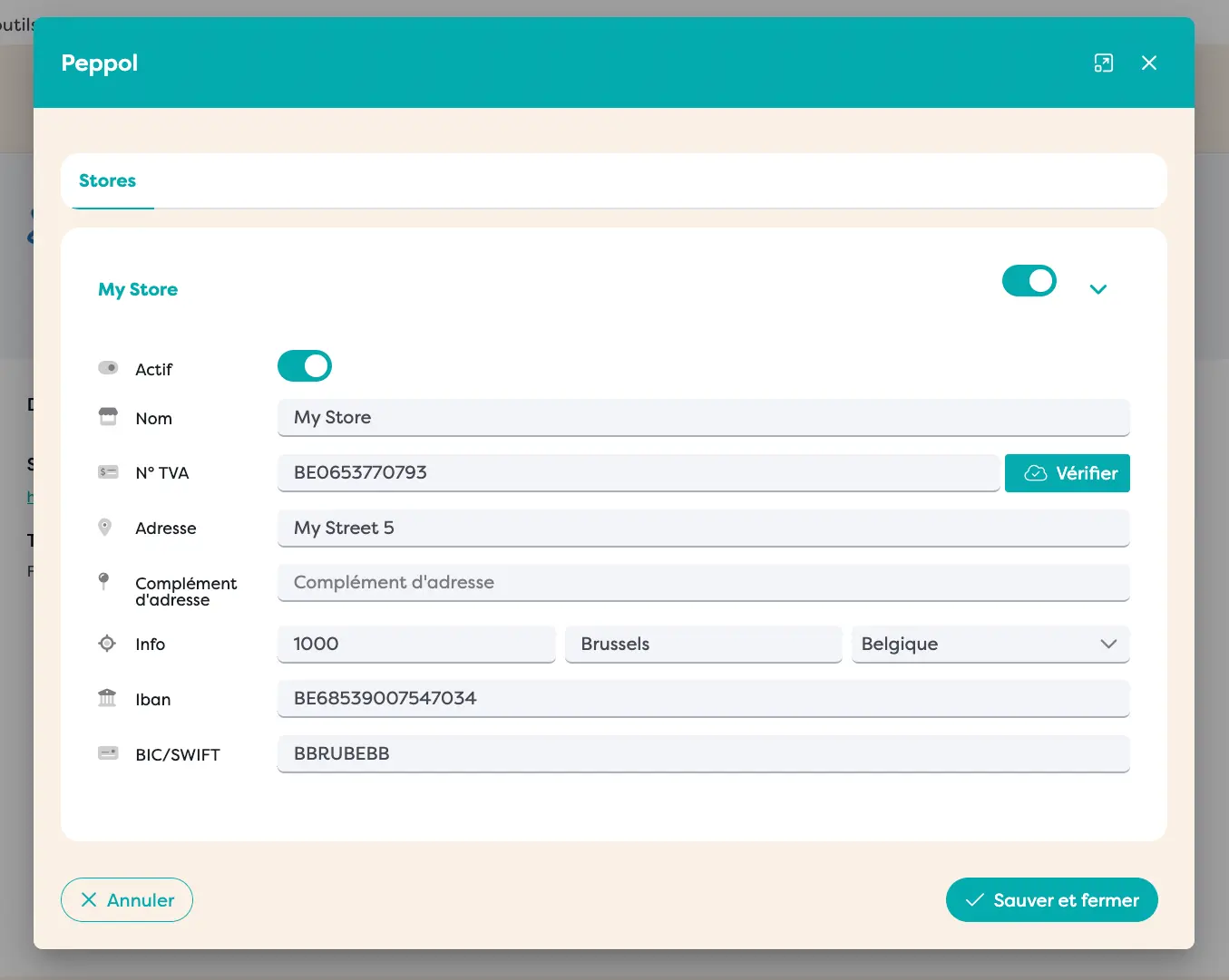
To successfully use the Peppol Integration, you must ensure the following information is complete and accurate on the store:
- Company Name
- VAT Number
- Full Address (Street, City, Postal Code, Country)
- IBAN (International Bank Account Number)
- BIC (Bank Identifier Code)
Step 1 : set up and activation for your store
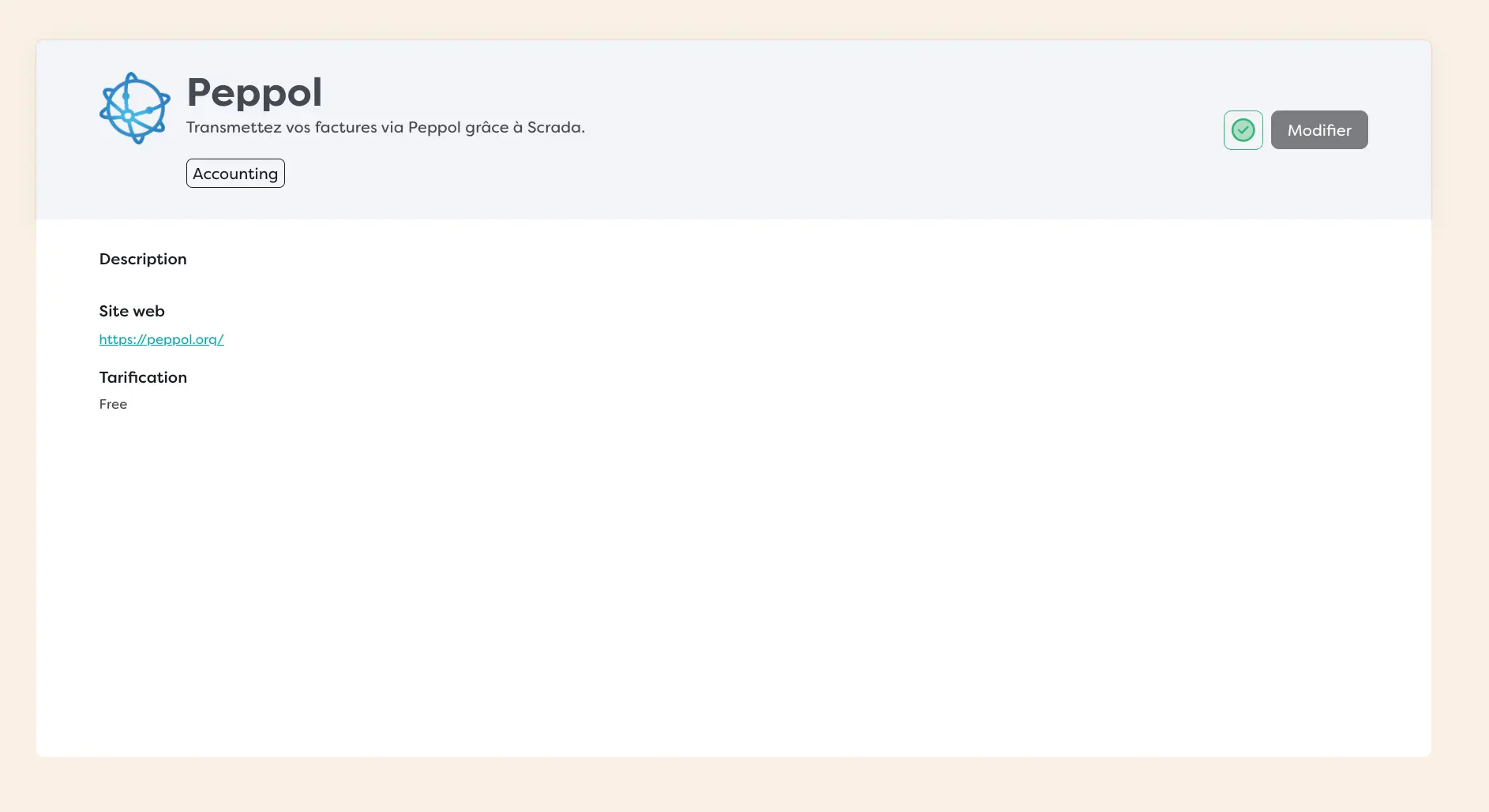
- Navigate to Settings in the main menu
- Select the Integrations page
- Locate the Peppol Integration
- Click install/activate or modify
- Open the Store for which Peppol has to be enabled
-
You will be prompted to fill in the required organizational details:
- Company Name
- VAT Number
- Address (Street, City, Postal Code, Country)
- IBAN & BIC
- Activate the Store
- Save the configuration to activate the integration.
➡️ PEPPOL integration is now activated for this store.
Step 2 : Customer Activation
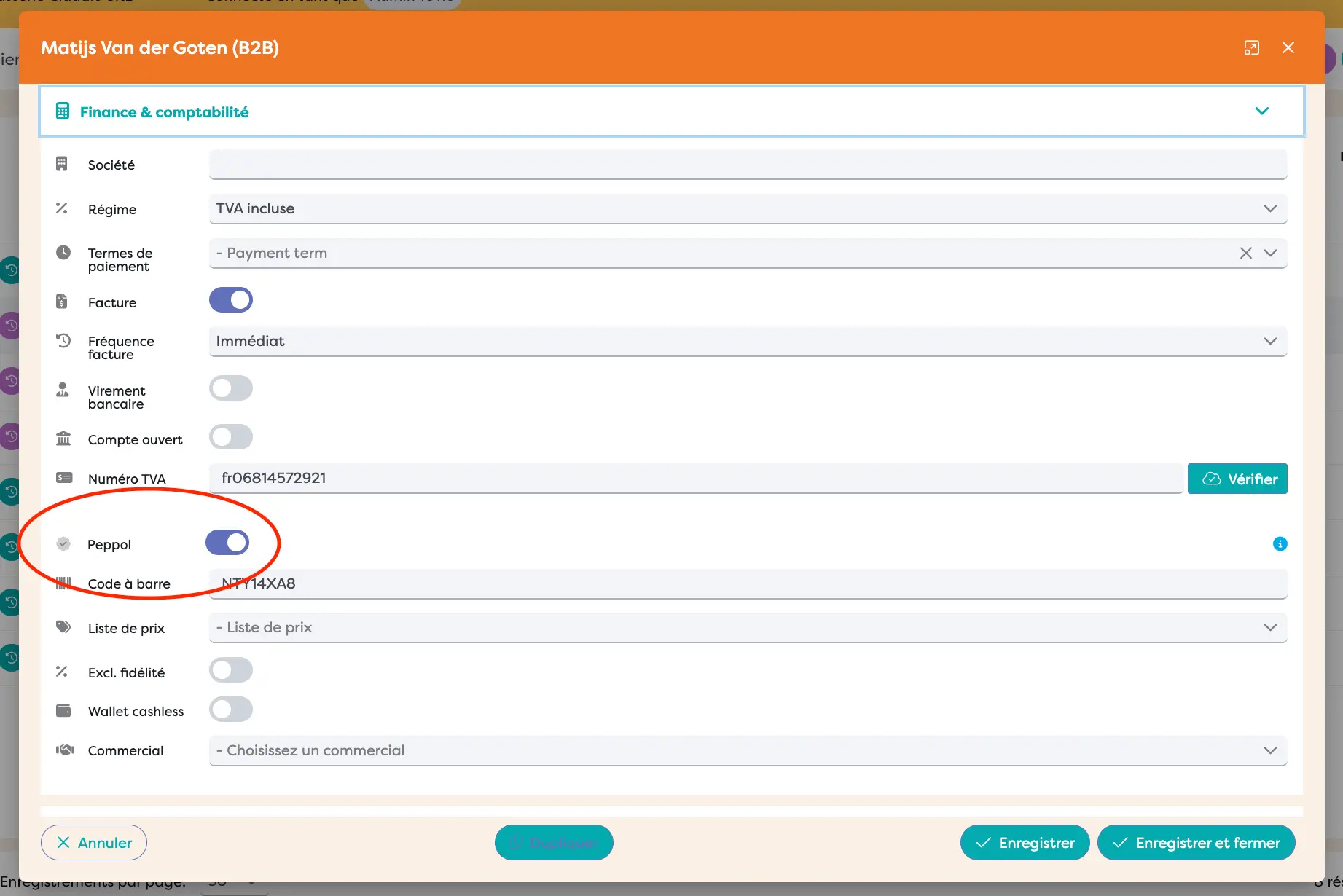
For a specific customer to receive invoices via Peppol, you must manually enable Peppol on their individual customer profile:
- Navigate to the customer's profile page
- Locate the Peppol setting (under 'Finance' tab)
- Toggle the Peppol setting to Enabled
- Save the customer profile
➡️The PEPPOL e-invoicing is now activated for your customer.
Sending invoices via PEPPOL in Restomax
Once the integration is configured and the customer is activated, invoices will be sent via Peppol under specific conditions
A. Invoices Generated from Tickets (Automated)
Invoices generated automatically from your ticketing system will be sent via Peppol if all of the following conditions are met:
- The Peppol Integration is enabled in your settings
- The customer has Peppol enabled on their customer profile
- The customer has invoicing enabled
- All required invoicing details are filled in on the customer profile
- The invoice is generated according to the defined invoicing frequency setting
➡️ In this case, no manual action is required: sending via PEPPOL is fully automated.
B. Invoices Created from the Backoffice (Manual)
For invoices created manually in the backoffice:
- Generate the invoice as normal.
- Click the Send Invoice button
- If the recipient customer has Peppol enabled, the system will prioritize sending the invoice via the Peppol network
⚠️ Important Note
As soon as an invoice is successfully sent through the Peppol network, it becomes
- Locked
- it cannot be updated
- or edited anymore
This guarantees the legal and accounting integrity of the invoice.
Tracking and Status
You can monitor the status of your Peppol-sent invoices within the backoffice:
Where to ?
- Navigate to Sales -> Invoices.
-
Any invoice successfully sent via the Peppol network will be
- clearly identified with a Peppol logo icon or
- indicator next to the invoice number/status
➡️ This way, you maintain full traceability of your PEPPOL invoices directly from the Restomax back office.