This page documents the latest changes to invoicing
In short, this release brings:
- A simplified invoice, with a detailed annex for the ticket
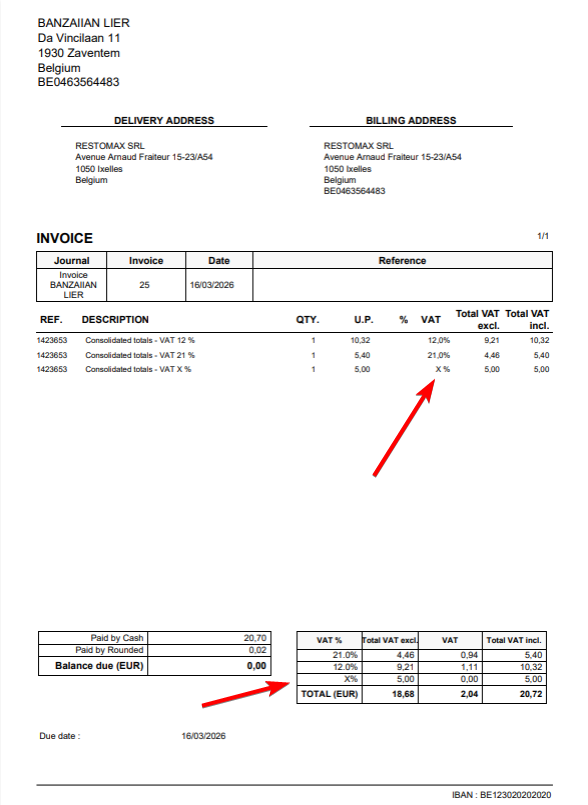
- A new "X" VAT rate for exempted items such as vouchers
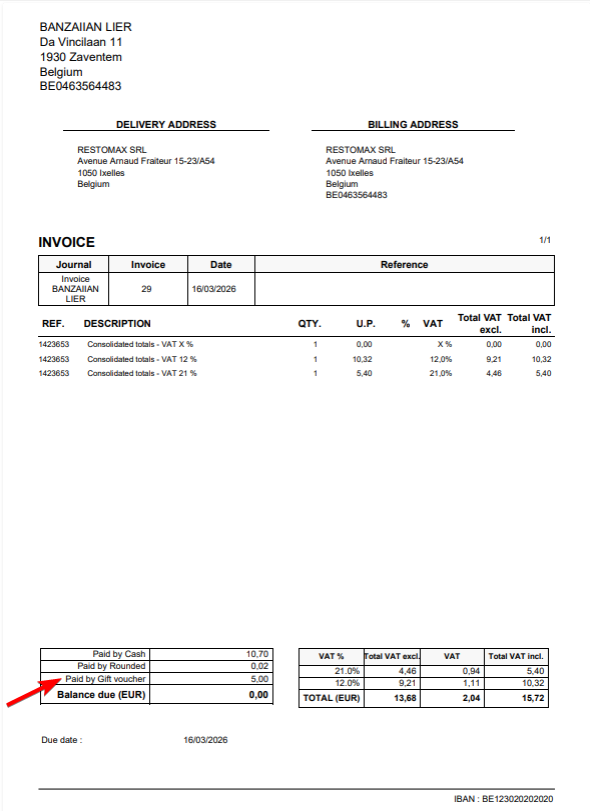
- Vouchers shown as a payment rather than a negative line
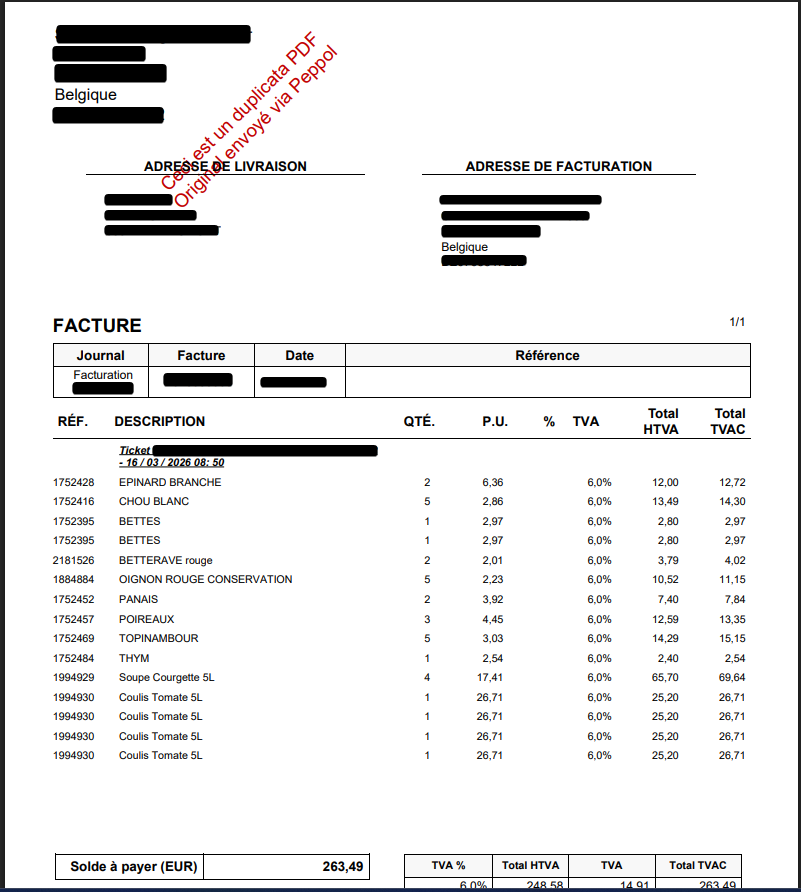
- A red "Duplicate" watermark on PDFs also sent via Peppol
- Invoices always sent by email, even with Peppol enabled
- Customizable invoice line labels (global and per customer)
- Grouping multiple invoices under a single customer
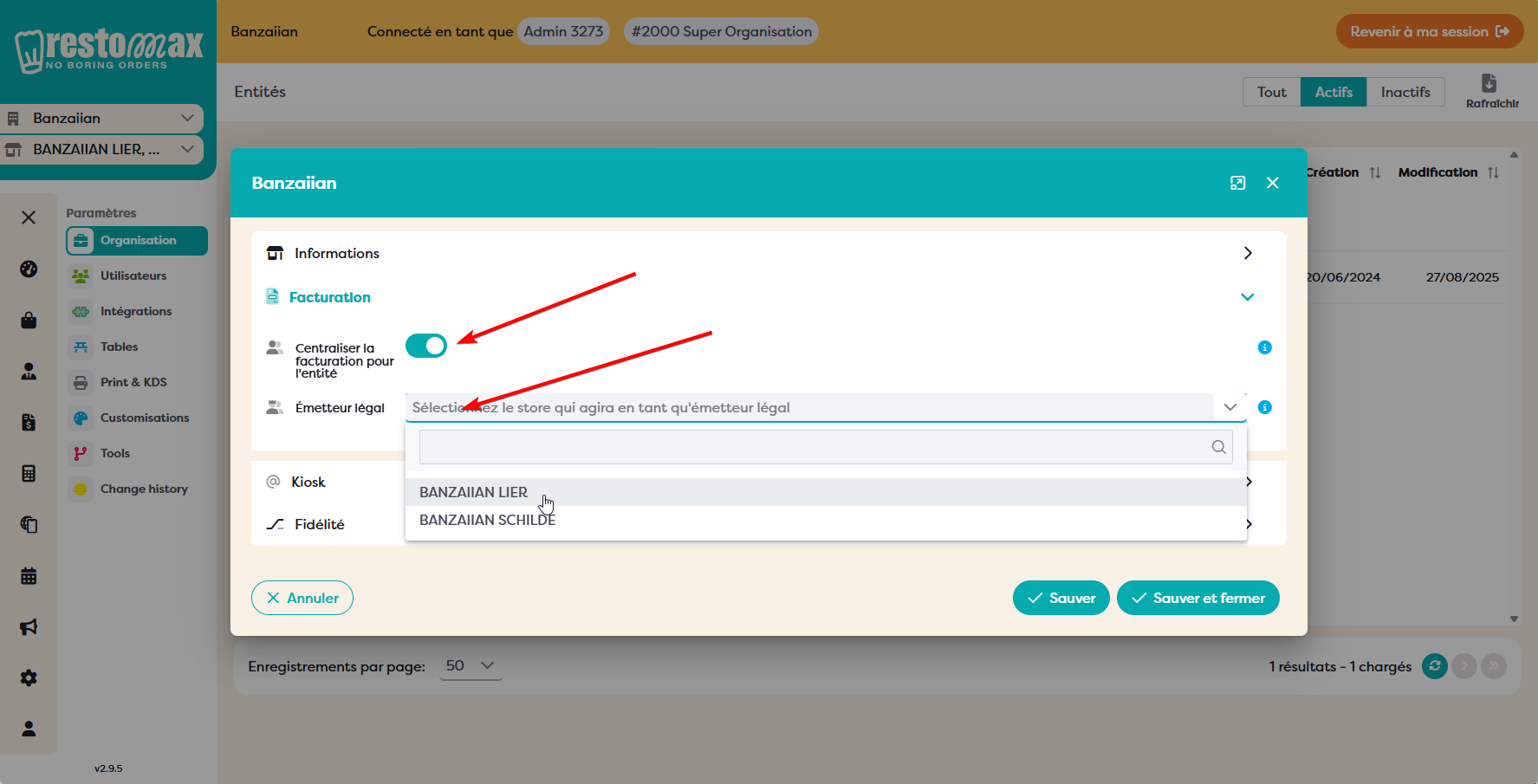
- A legal issuer (Émetteur légal) setting per entity
1. Invoice format & VAT changes
Simplified invoice with a detailed annex
Invoices are now presented in a simplified format. The full detail of the ticket is provided in an accompanying annex, keeping the main invoice clean and easy to read.
This option is enabled by default. To disable it, go to Settings > My Organisation -> Store > Invoicing > Consolidate invoice lines.
New "X" VAT rate (exempted)
We added a new "X" VAT rate which means "no VAT / exempted". This was necessary following the last big POS update, where vouchers were changed so they are no longer included in the CA / revenue.
- Vouchers and similar items are now shown as X on the invoice.
- Works for POS from version 3.x.x and above.
Vouchers shown as a payment
Vouchers used by the customer now appear as a payment on the invoice PDF, instead of appearing as a negative line on the invoice.
Duplicate watermark for Peppol invoices
If the invoice was also sent via Peppol, we now add a red "Duplicate" watermark on the PDF. This makes clear that the original was delivered electronically through Peppol and that the PDF is a duplicate copy.
Invoice always sent by email
We now always send the invoice by email, even when the customer has Peppol enabled. Previously, enabling Peppol could suppress the email; the customer now reliably receives both.
2. Invoice line label
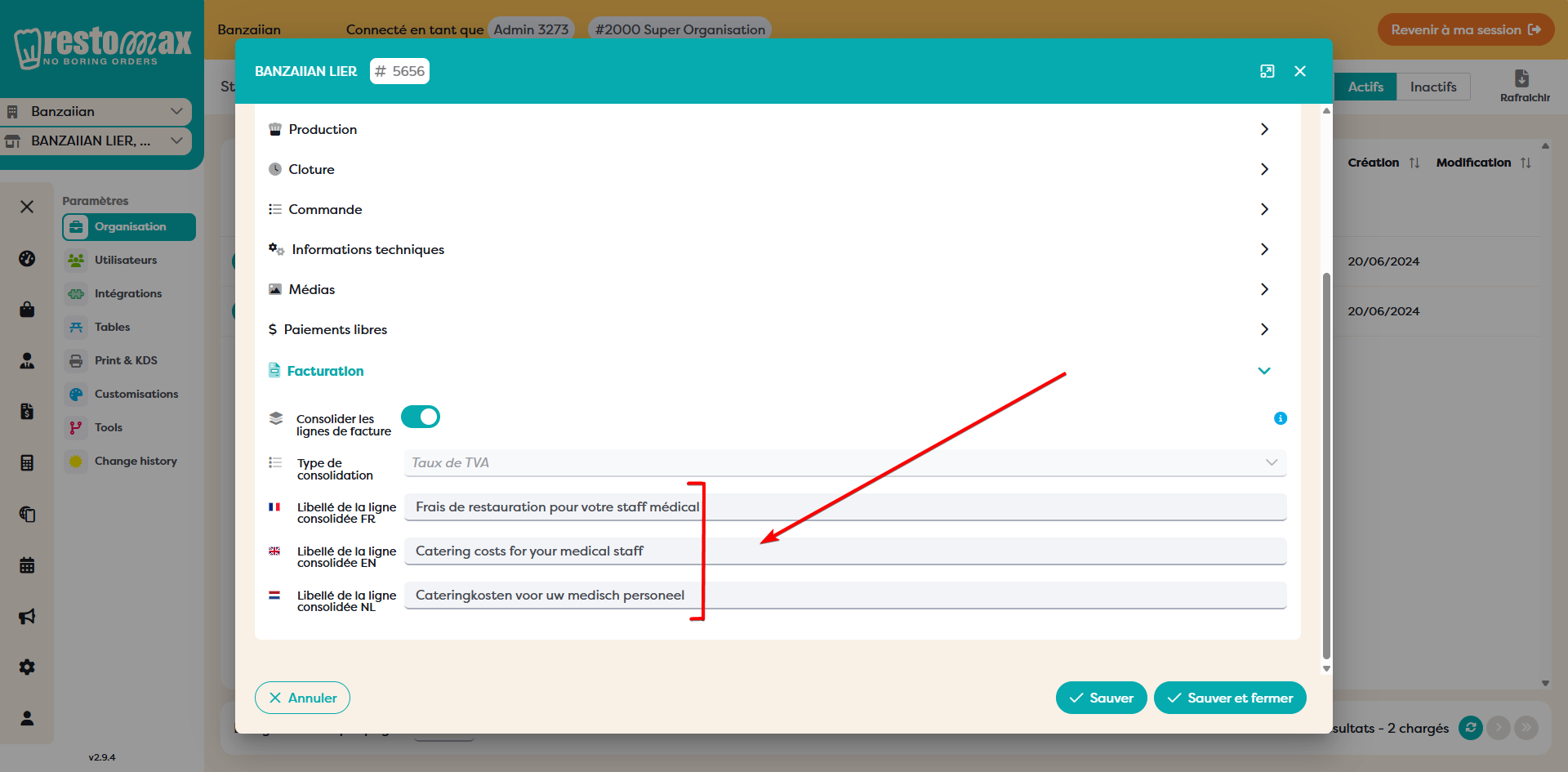
A custom label can now be set for the invoice lines. This controls the descriptive text shown on the consolidated invoice line.
Setting the label
The label is configured under Settings → My Organisation → Store → Invoice. Enable Consolidate invoice lines, choose the consolidation type, and enter the label in each language (FR / EN / NL).
Per-customer override
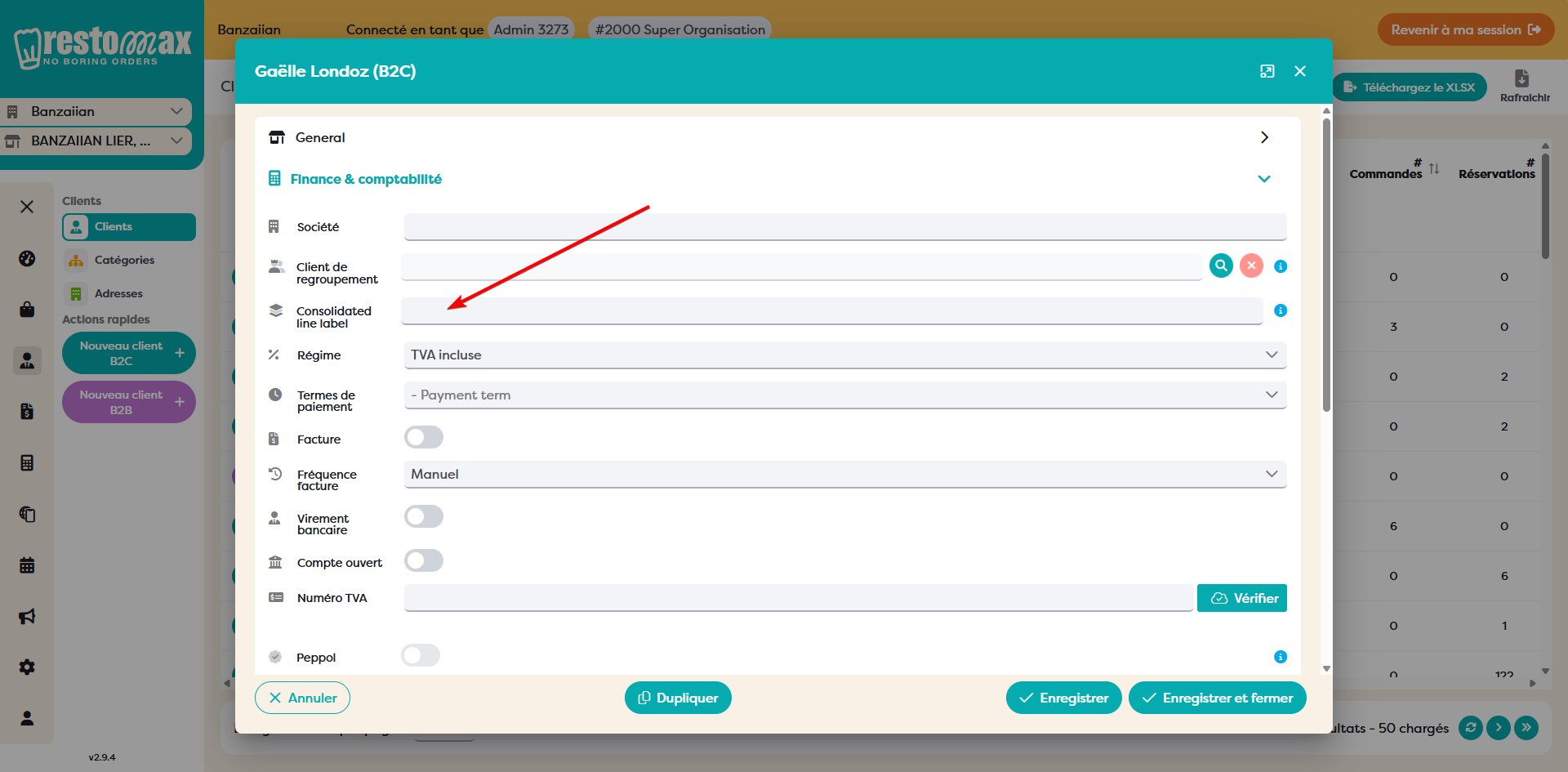
The Consolidated line label can also be overwritten per customer in the customer settings. When set, the customer-level label takes priority over the organisation default for that customer's invoices.
Default labels
If no label is set on the invoice lines and no per-customer override is configured, the following default labels are used.
Weekly invoicing: Total purchases for the week - VAT %
Monthly invoicing: Total purchases for the month - VAT %
Otherwise (default case): Total purchases VAT - %
3. Grouping invoices under one customer
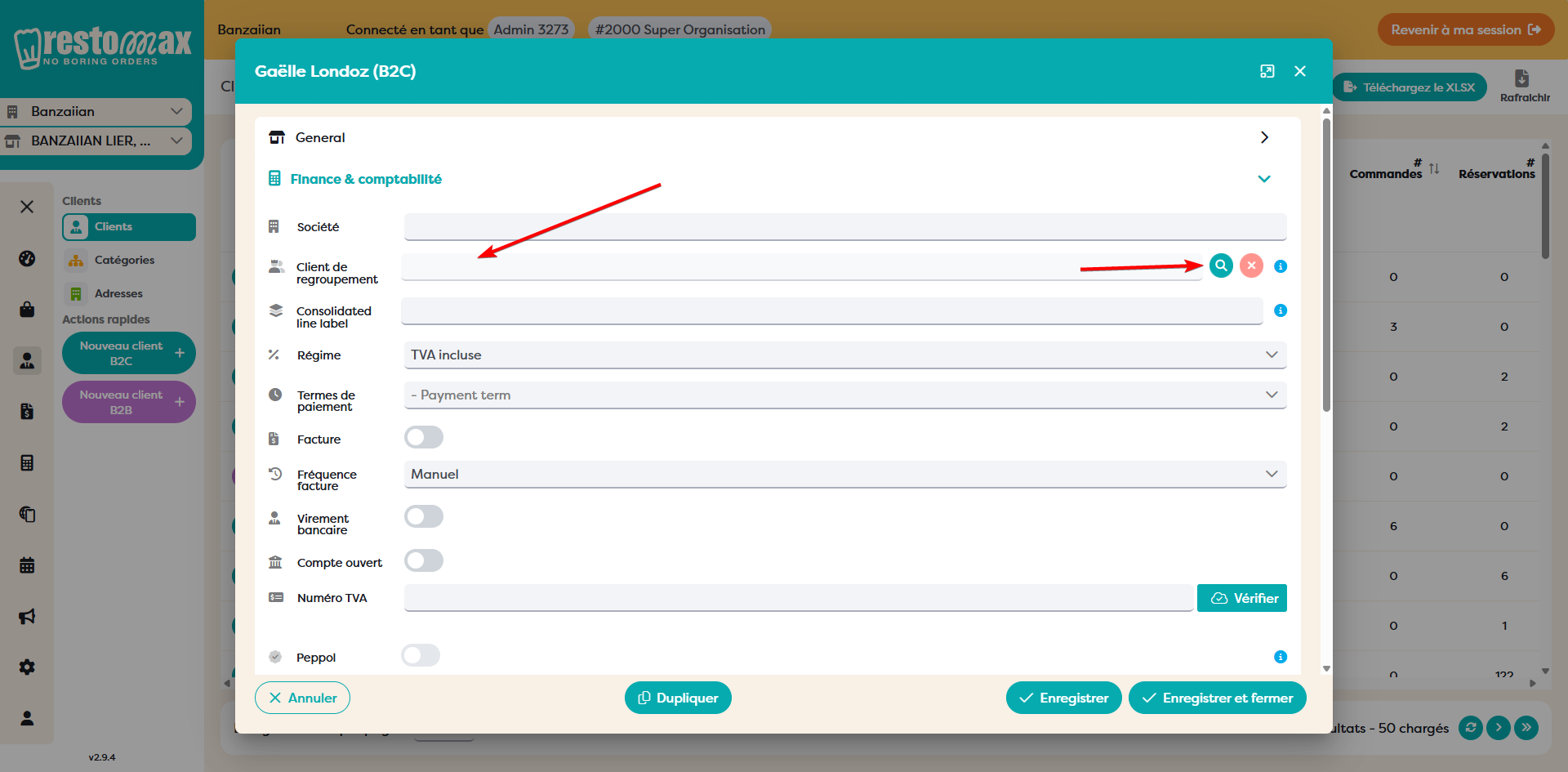
Multiple invoices can now be grouped together under a single customer, provided the invoices are not set to be issued immediately. This consolidates a customer's orders into one invoice instead of generating a separate invoice for each.
4. Legal issuer
The legal issuer setting lets you send all invoices for orders within an entity from a single selected store. This is useful when several stores belong to one legal entity and all invoicing should originate from one of them. This setting can be configured in Settings -> My Organisation -> Entity -> Invoicing.