What it is
The regular opening schedule defines when each channel accepts orders. Exceptions and holidays are the two ways to record a date that differs from that schedule.
An exception applies to a specific occasion. It is either a closure, which stops the selected channels from accepting orders, or a capacity adjustment, which keeps them open with a limit on the number and the size of the orders.
A holiday period applies to full days on which the business is closed.
Both are managed from the same screen, both can cover several locations in a single record, and an exception applies to the channels selected on it.
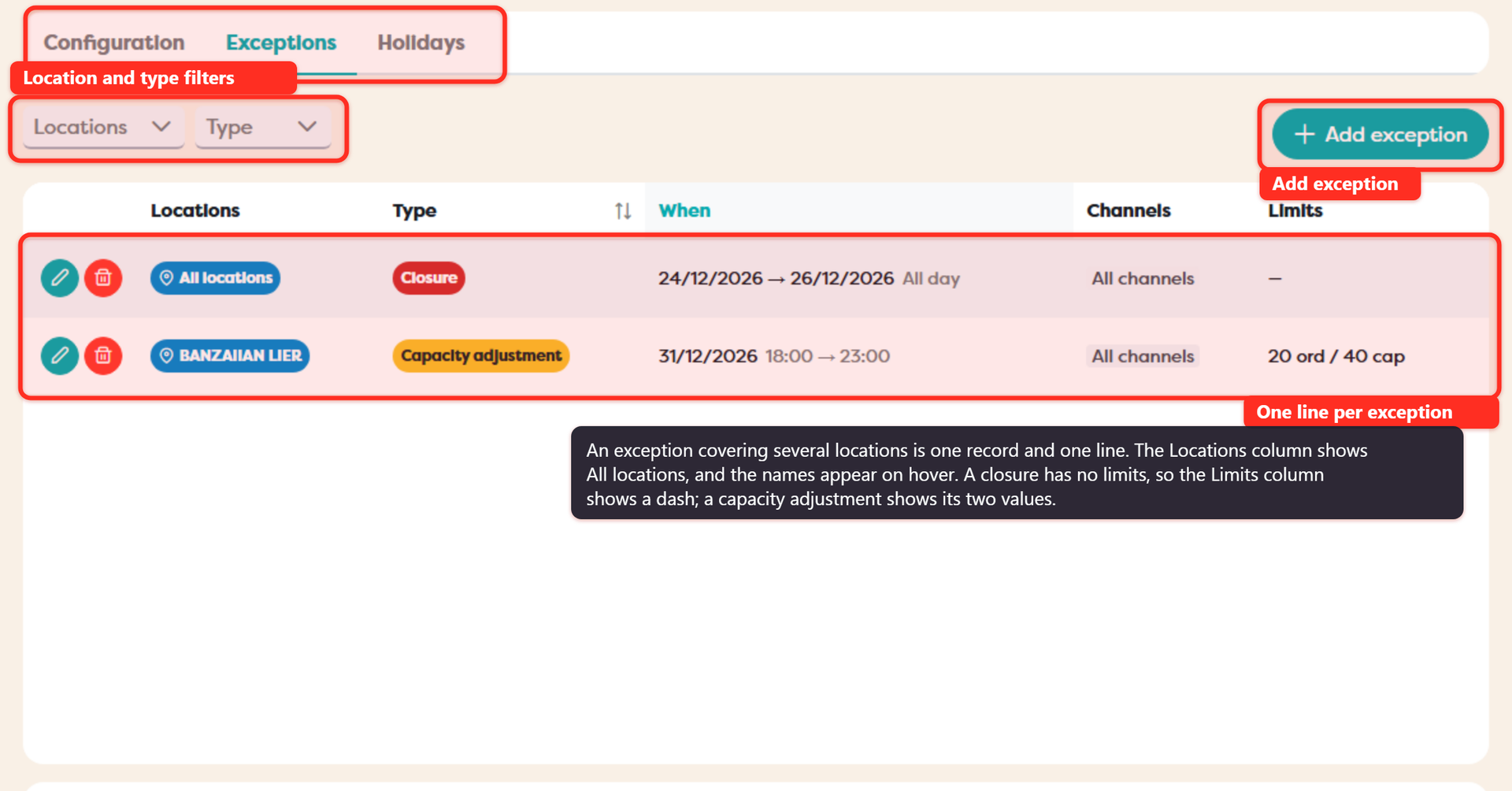
The list
The list shows one line per exception, with five columns:
| Column | Content |
| Locations | The locations the exception applies to |
| Type | Closure or Capacity adjustment |
| When | Closure or Capacity adjustment |
| Channels | The channels the exception applies to |
| Limits | The two limits of a capacity adjustment, or a dash for a closure |
An exception that covers several locations is a single record and appears as a single line. The Locations column shows All locations when every location is included, or the name of the location when only one is. Placing the cursor on the pill lists the locations.
The two filters above the list narrow it by location or by type.
Creating an exception
The dialog first asks for the locations and the type. The remaining fields appear once both are filled in, and Save becomes available at that point.
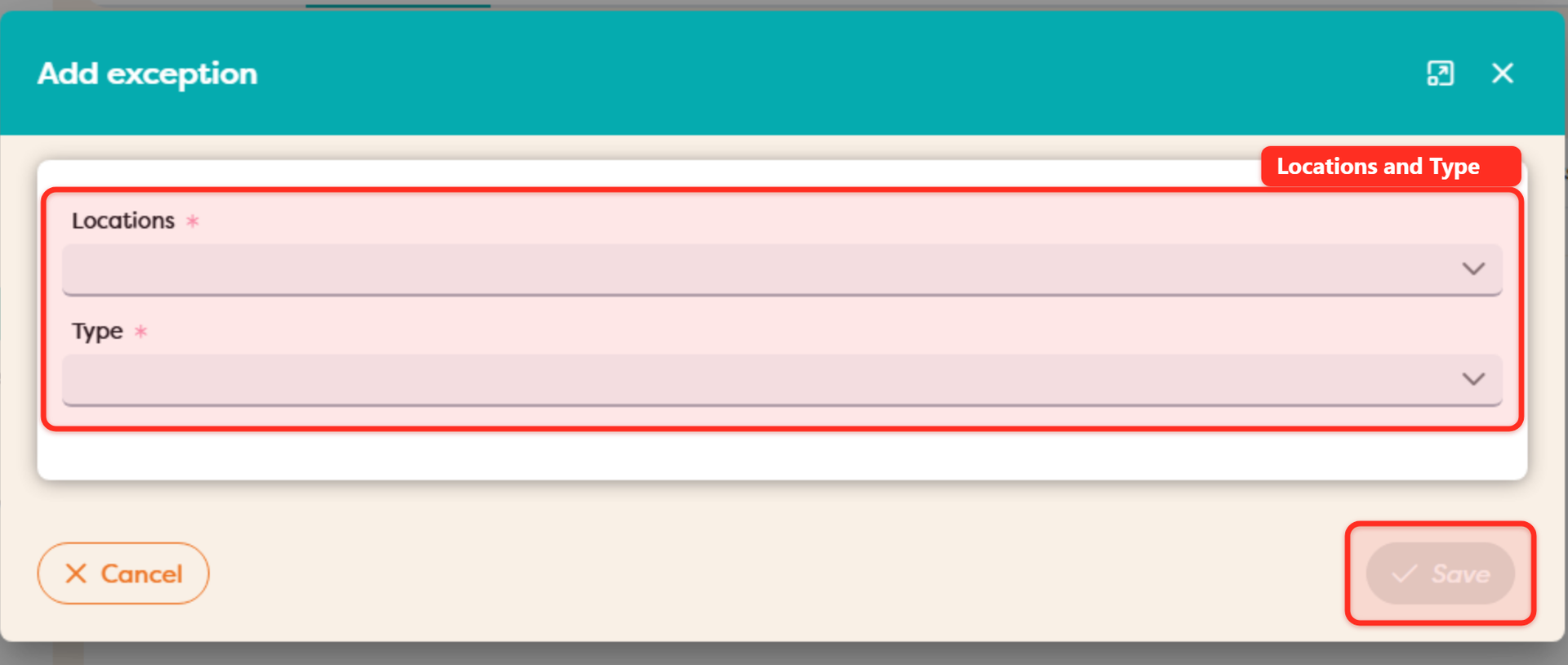
The type determines the rest of the form.
Closure
A closure stops the selected channels from accepting orders during the period. It has no limits to configure, and the channel section is titled Closed channels.
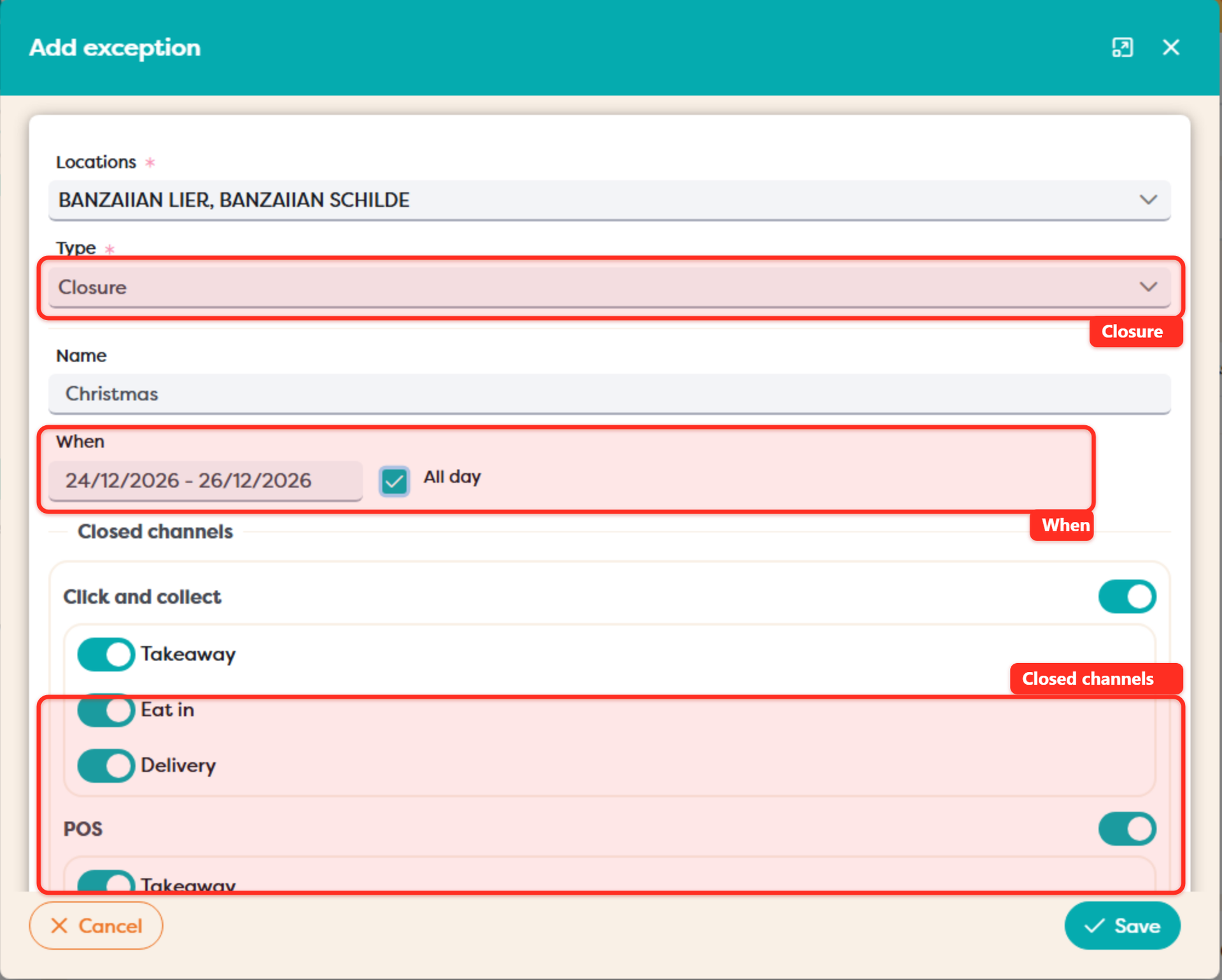
Capacity adjustment
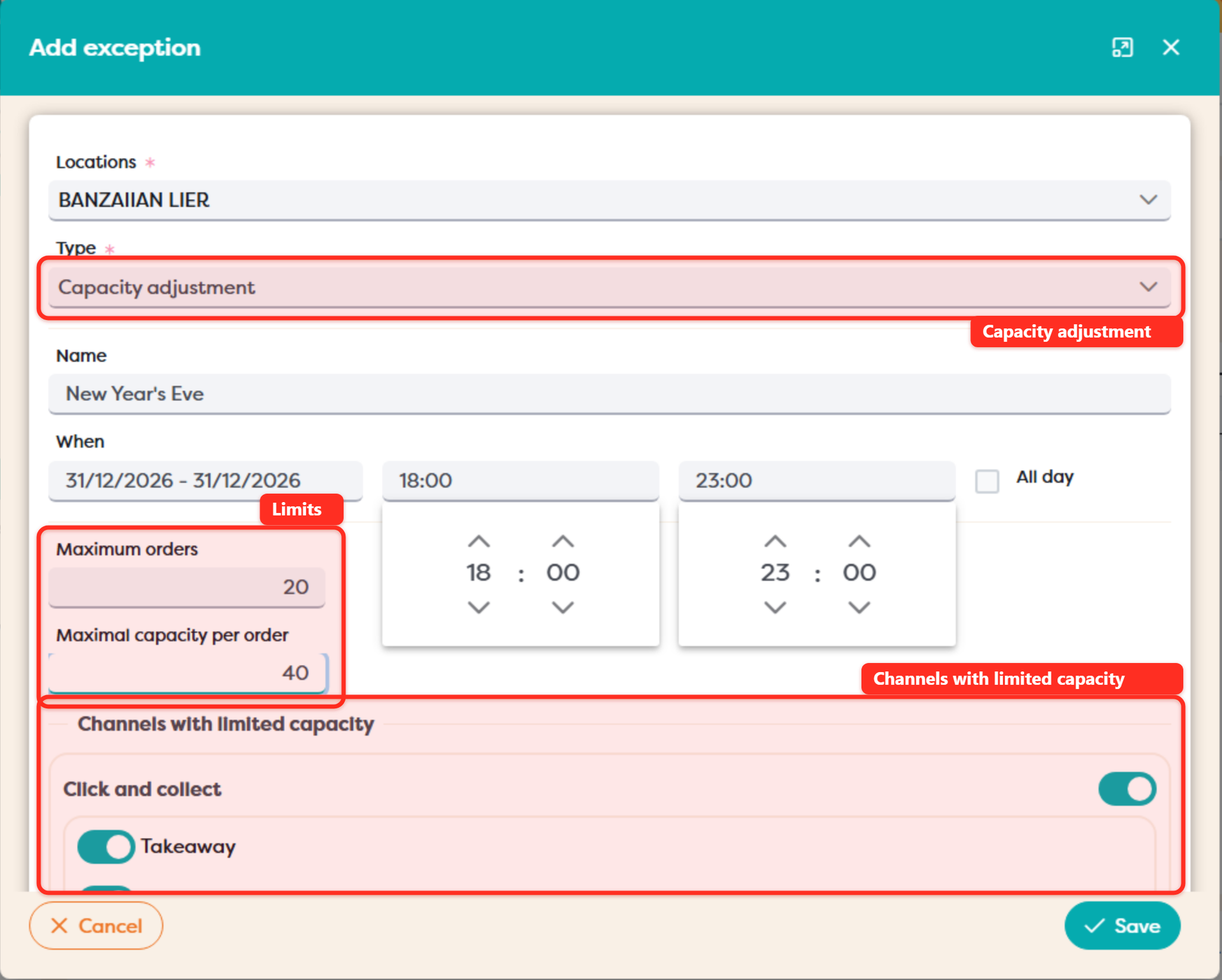
A capacity adjustment keeps the selected channels open and applies two limits:
- Maximum orders: the number of orders accepted during the period.
- Maximal capacity per order: the size of a single order.
The channel section is titled Channels with limited capacity. Both values appear in the Limits column of the list, in the form 20 ord / 40 cap.
The period
The When row contains a date range and two hour fields. Selecting the date field opens a calendar, where the first date selected is the start of the range and the second is the end.
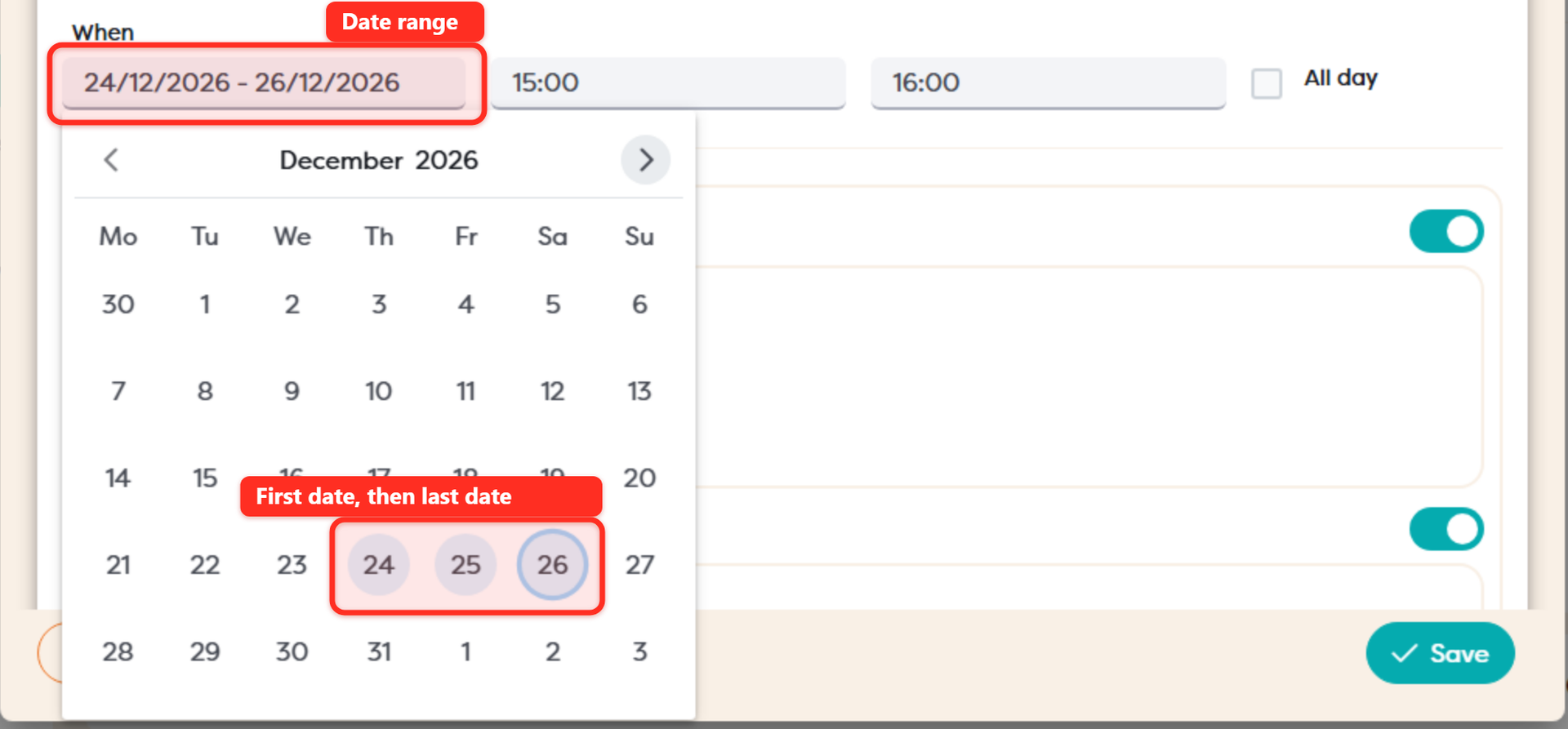
The All day option removes the hour fields, and the exception then covers the whole of each day in the range. The list shows the two cases as 24/12/2026 → 26/12/2026 All day and 31/12/2026 18:00 → 23:00.
The channels
An exception applies to the channels selected on it. Each channel is listed with its consumption types:
| Channel | Consumption types |
| Click and collect | Takeaway, Eat in, Delivery |
| POS | Takeaway, Eat in, Delivery |
| Kiosk | Takeaway, Eat in |
Deselecting a channel also deselects its consumption types, so an exception can apply to online ordering without affecting the point of sale. When all channels remain selected, the list shows All channels.
Holidays
The Holidays tab follows the same structure with a shorter form: the locations, a name and a period. Holiday periods cover full days, so they have no hour fields and no channel selection.
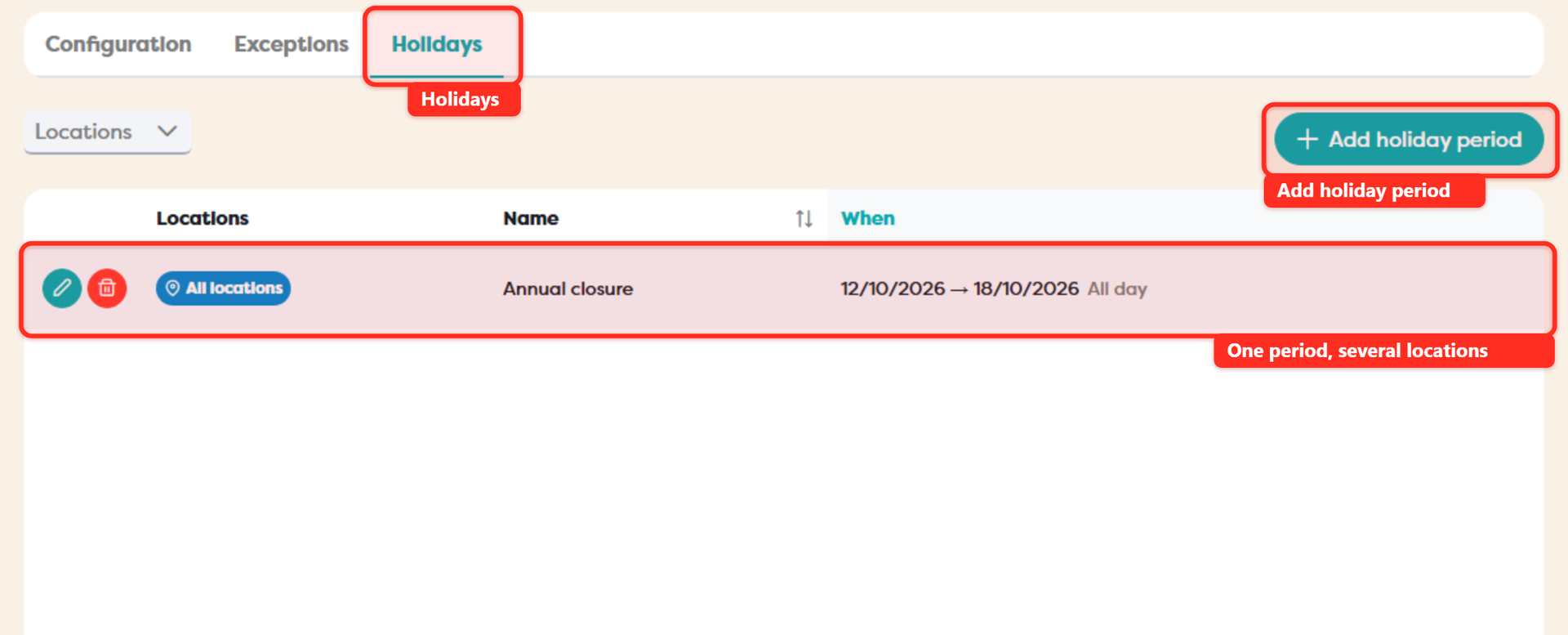
The list has three columns, Locations, Name and When, and the same location filter.
Where to find it
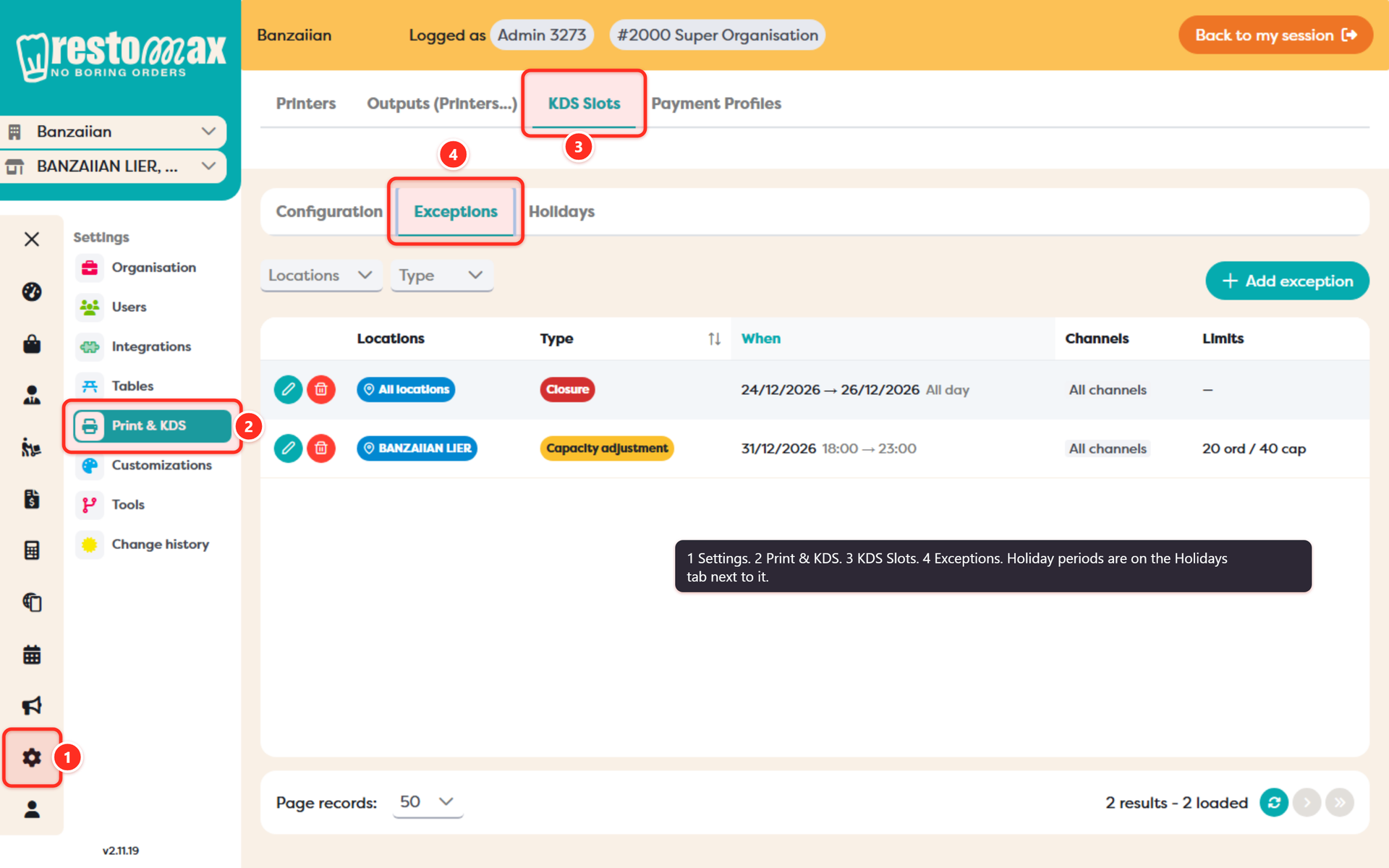
Settings > Print & KDS > KDS Slots, then the Configuration, Exceptions and Holidays tabs.
Summary
- One exception can cover several locations and remains a single record.
- An exception is either a closure or a capacity adjustment, and the form shows the fields that apply to the selected type.
- A period is a date range, with an hour window or the full day.
- An exception applies to the selected channels and consumption types.
- Holiday periods are managed in a separate tab and cover full days.