What it is
The Restomax Public API gives external tools access to an organisation's data. Developer API Credentials is the integration that creates the logins for it. Each credential is named, reaches only the entities and stores selected on it, and records its own activity, so every connected tool has its own login that can be regenerated or removed separately.
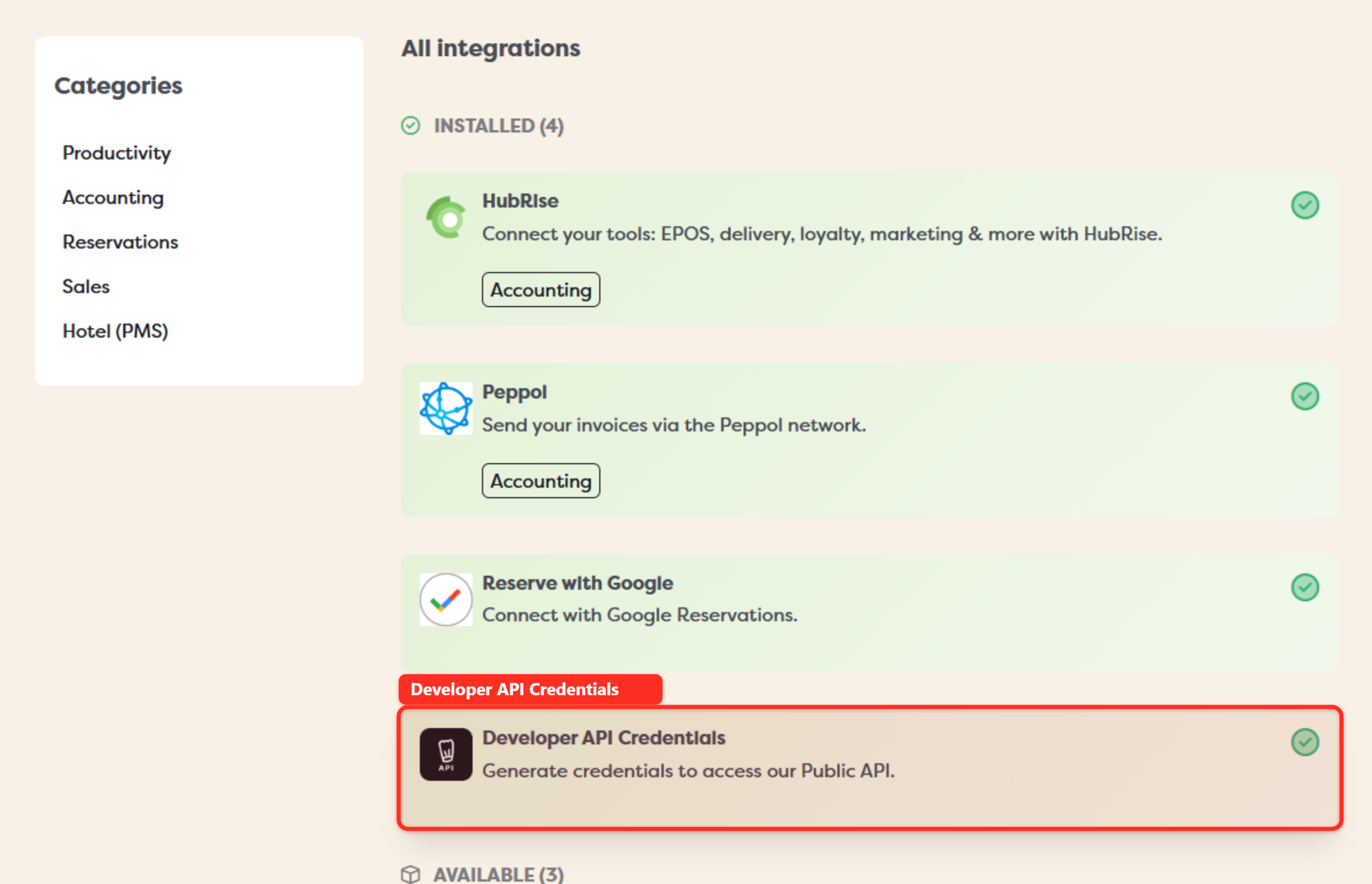
The integration is free and appears in the integrations list with the other connectors.
Where to find it
Settings > Integrations > Developer API Credentials. The details page carries a short description. Before a credential exists, the button reads Install integration; afterwards the tile moves to the Installed group and the button reads Edit. Both open the same management dialog.
The management dialog
The dialog has three sections: General, Activity and Credentials.
General
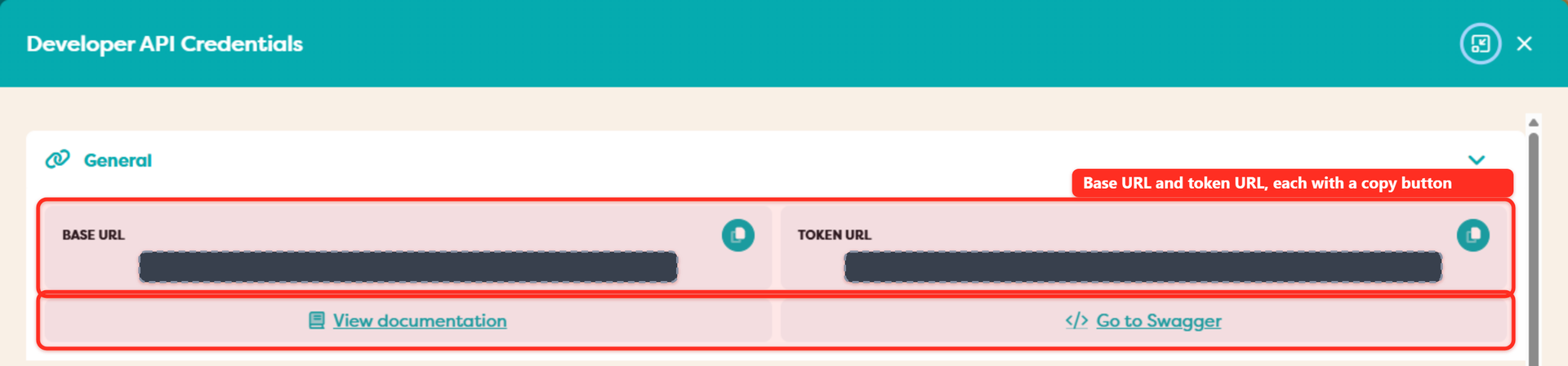
General holds what a developer needs to connect:
- Base URL: the address of the Public API.
- Token URL: the address that issues the access tokens.
- View documentation and Go to Swagger: links to the API reference.
Each URL has a copy button.
Activity
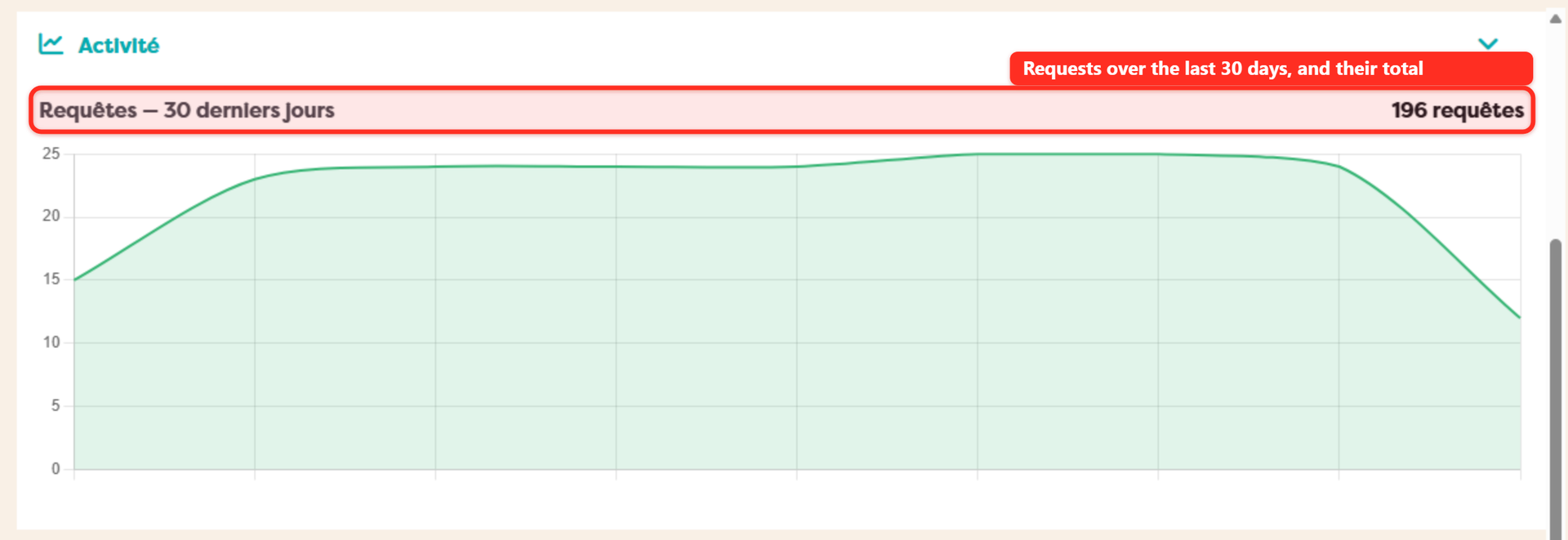
Activity shows a chart of the requests made over the last 30 days, with the total above it, for all credentials of the organisation together.
Credentials
The line above the table recalls how the credential is used: an access token is requested with the password grant type, using the email and password of a credential.

Generating a credential
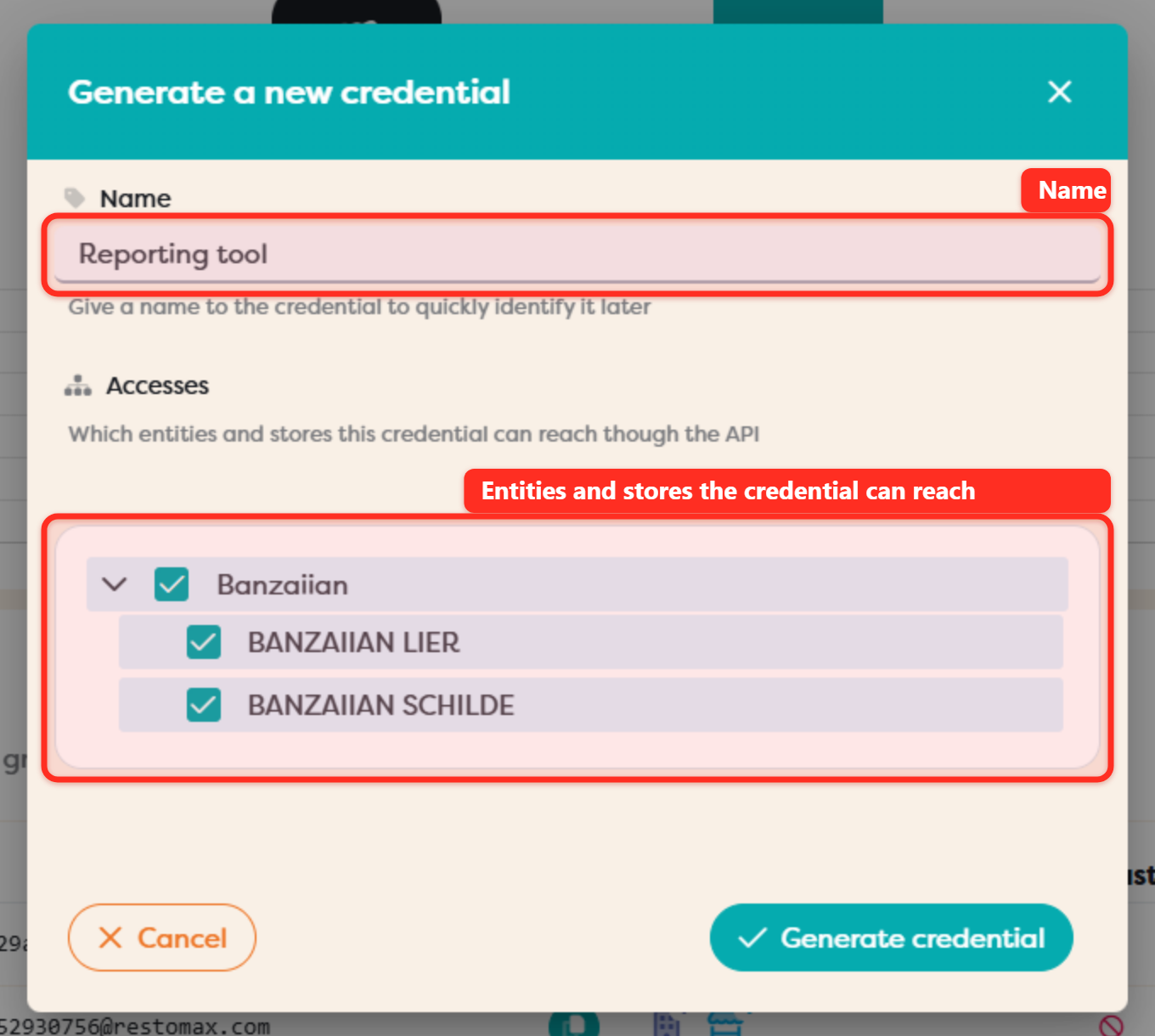
Generate credential opens a dialog with two fields:
- Name: filled in with API Credential, to be replaced with a name that identifies the tool using it.
- Accesses: the entities and stores the credential can reach through the API, shown as a tree. Ticking an entity ticks all of its stores; stores can also be ticked one by one.
The username is created automatically, in the form api-credential-<code>@restomax.com.
Saving the credentials
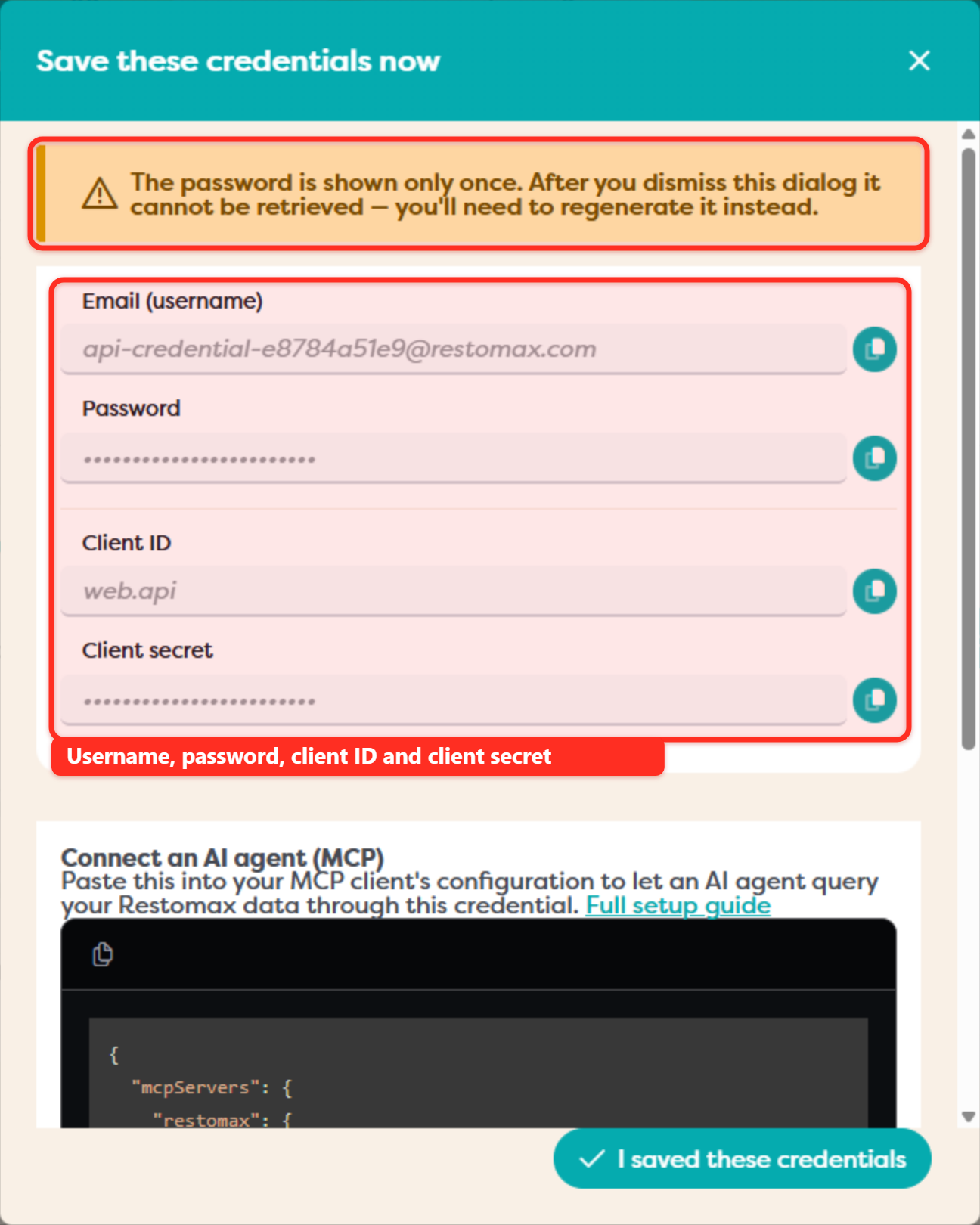
Once generated, the credential is displayed in a Save these credentials now dialog, with four values and a copy button for each: Email (username) Password Client ID Client secret
The password is shown only once. After I saved these credentials, it cannot be displayed again; a new one is obtained with Regenerate.
Connect an AI agent (MCP)
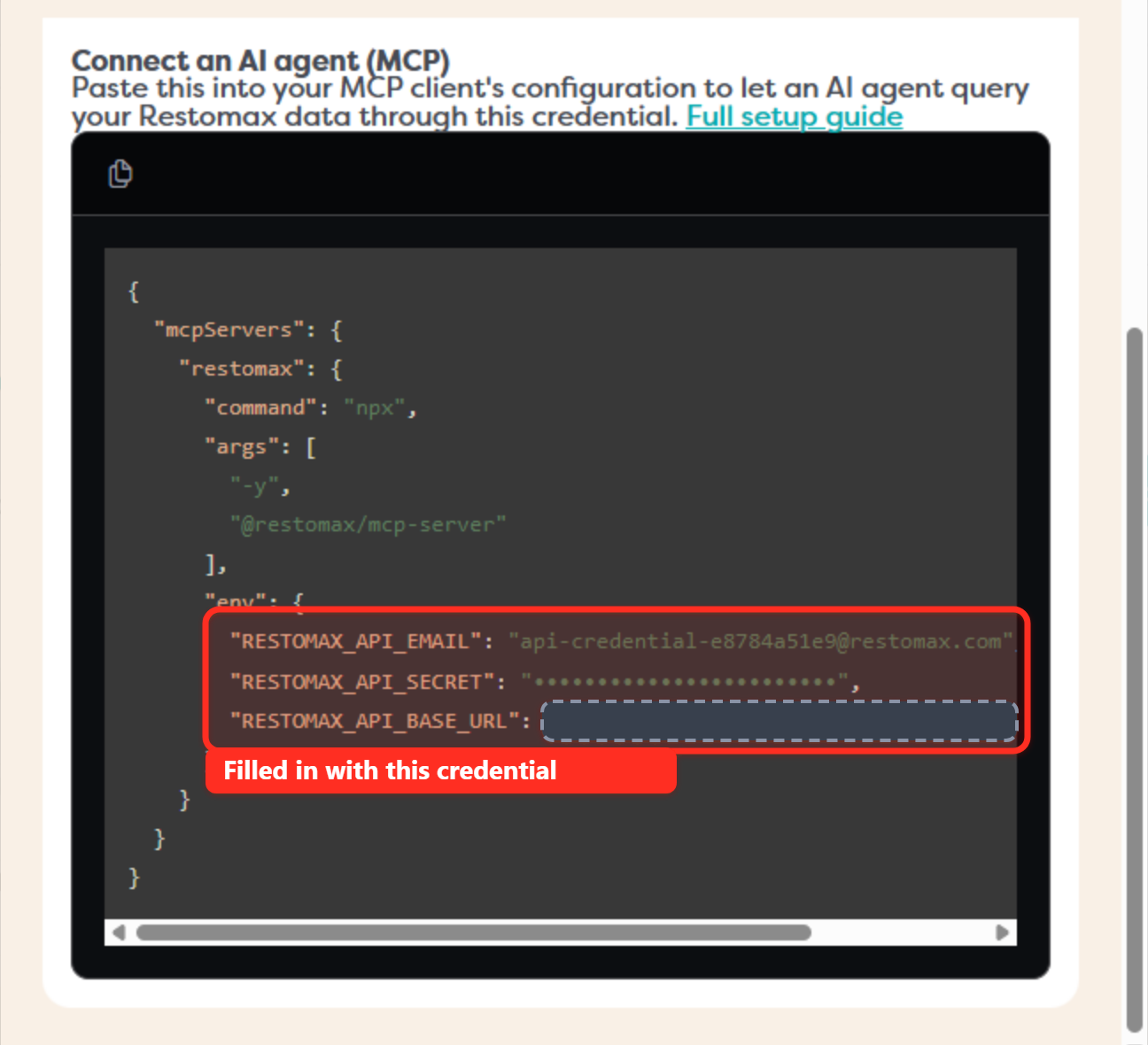
The same dialog also provides a ready-made configuration for an AI agent. The block titled Connect an AI agent (MCP) contains the configuration of the Restomax MCP server (@restomax/mcp-server), already filled in with the email and password of the new credential and the API address. Pasted into an MCP client's configuration, it lets an AI agent query the Restomax data that the credential reaches. A Full setup guide link and a copy button accompany it.
Regenerating and deleting
The Options of an active credential contain two buttons.
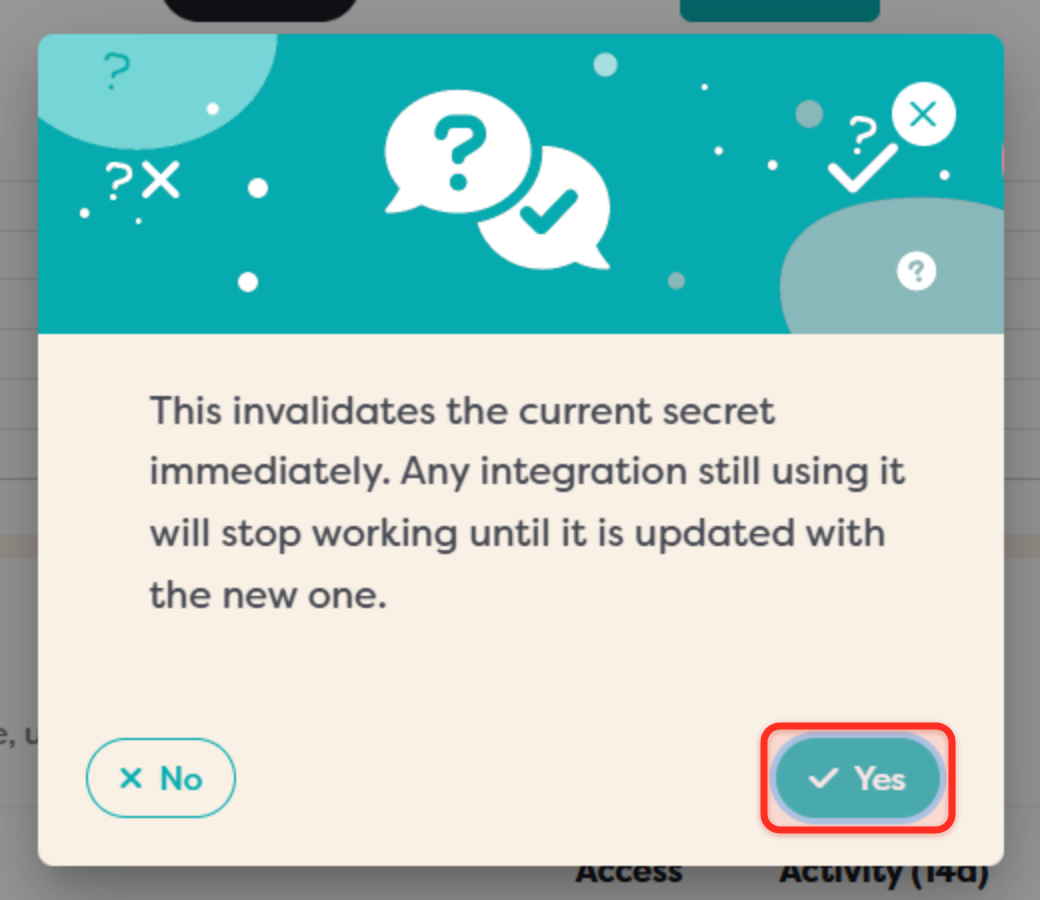
Regenerate replaces the password. A confirmation explains that the current secret stops working immediately and that any integration still using it must be updated with the new one. After Yes, the Save these credentials now dialog opens again with the new password. The username, the name and the accesses stay the same.
Delete deactivates the credential at once. The line stays in the list, marked Inactive, without options.
Summary
- Credentials for the Public API are generated from Settings > Integrations, at no cost.
- Each credential has a name and reaches only the entities and stores selected on it.
- The password is shown once, with copy buttons, and can be replaced with Regenerate.
- A ready-made configuration connects an AI agent through the Restomax MCP server.
- Requests are counted over 30 days for the organisation and over 14 days for each credential, together with the date each credential was last used.